Garmin Edge 705 review
|$499.99
BikeRadar verdict
"A staggeringly complete information source - the ultimate bike computer, with GPS navigation too."
Shopping partners
It’s a long way from cheap, but the Garmin Edge 705 is the most useful bit of cycling-orientated electronics we’ve ever used. Combining a bike computer on steroids, a mapping GPS receiver, a heart rate monitor and a power meter head unit in one easy-to-use device makes for an unrivalled cycling dashboard.
Garmin’s Edge 705 ticks just about all the boxes for a GPS-capable bike computer. It makes it easy to plan and record rides, and guides you on your way. It provides a vast amount of data, but it’s well organised and once you get used to the menu-driven format, it’s easy to use.
On & off the road
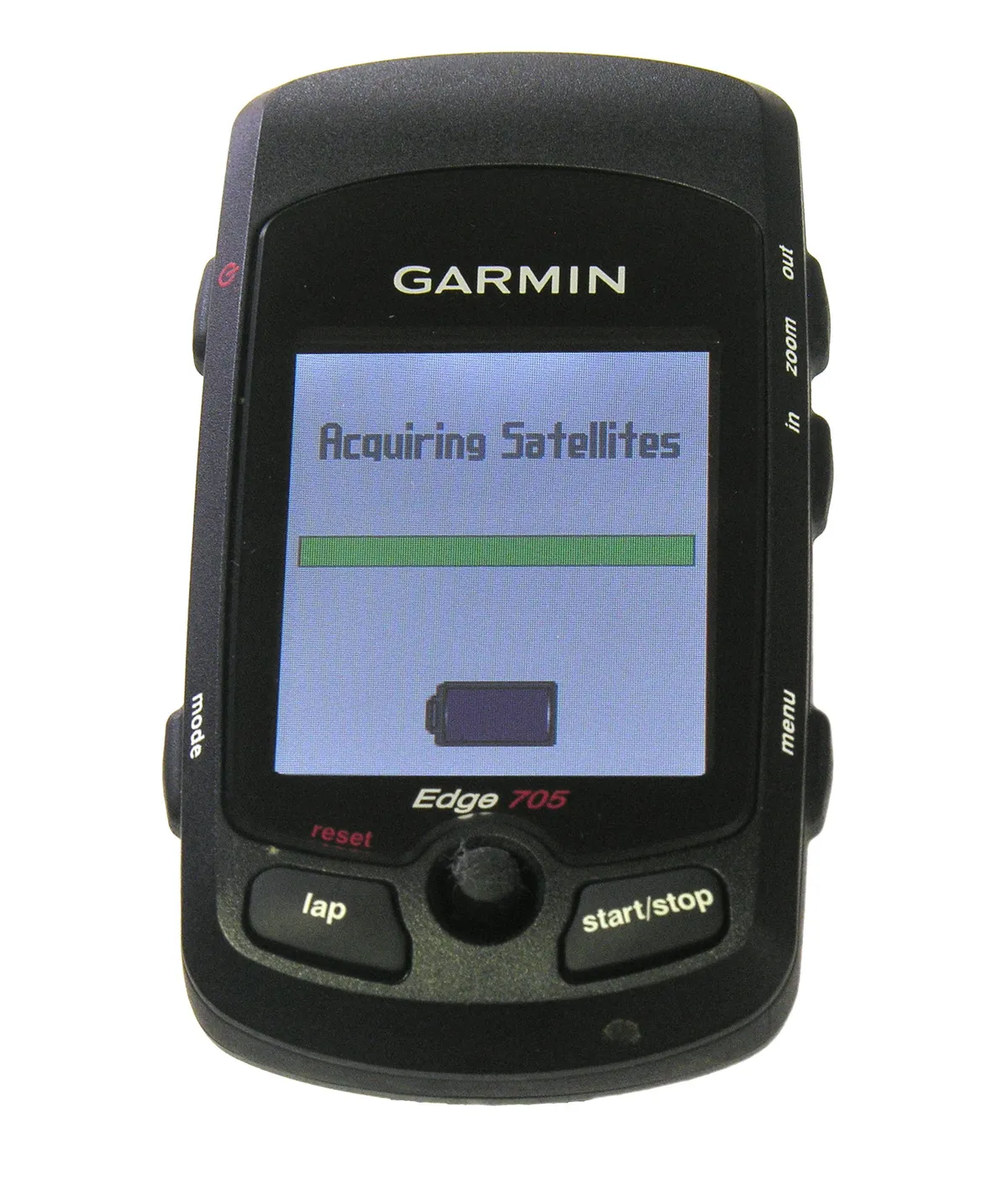
Getting started, the Edge 705 quickly picks up satellites, even under tree cover or in houses. It struggles if you’re surrounded by skyscrapers.
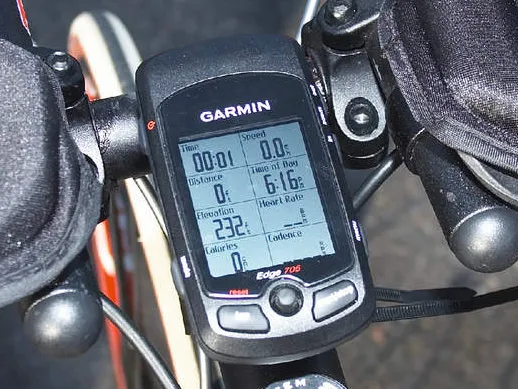
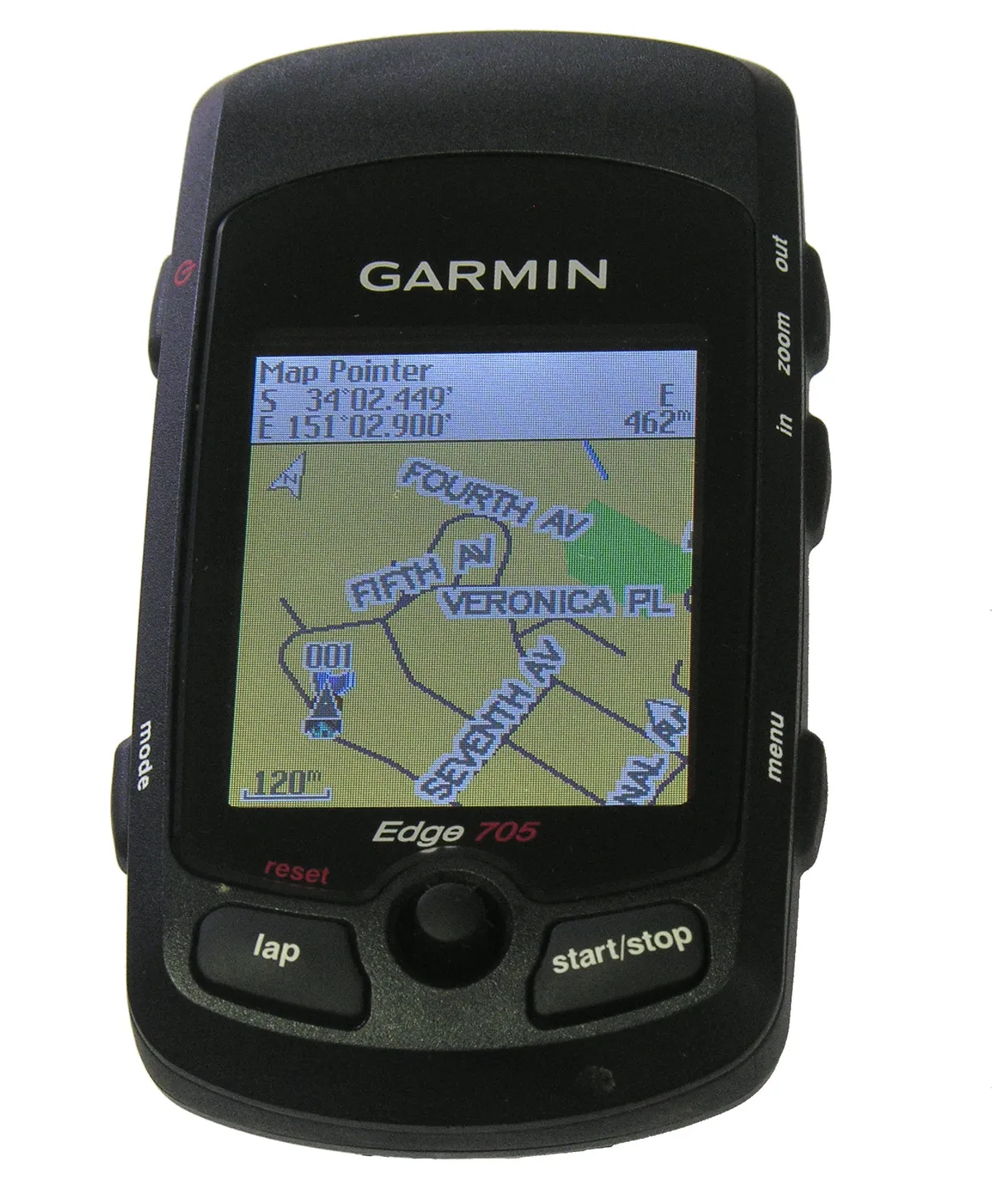
The display is clear and the backlight bright enough to make it easily readable in all conditions.
Controlling the unit is easy: you use the joystick and the two well placed buttons below the screen for recording laps and starting/stopping the data recording. The other menu, mode and zoom functions are accessed via two side buttons, and all are easily usable even with gloved hands.
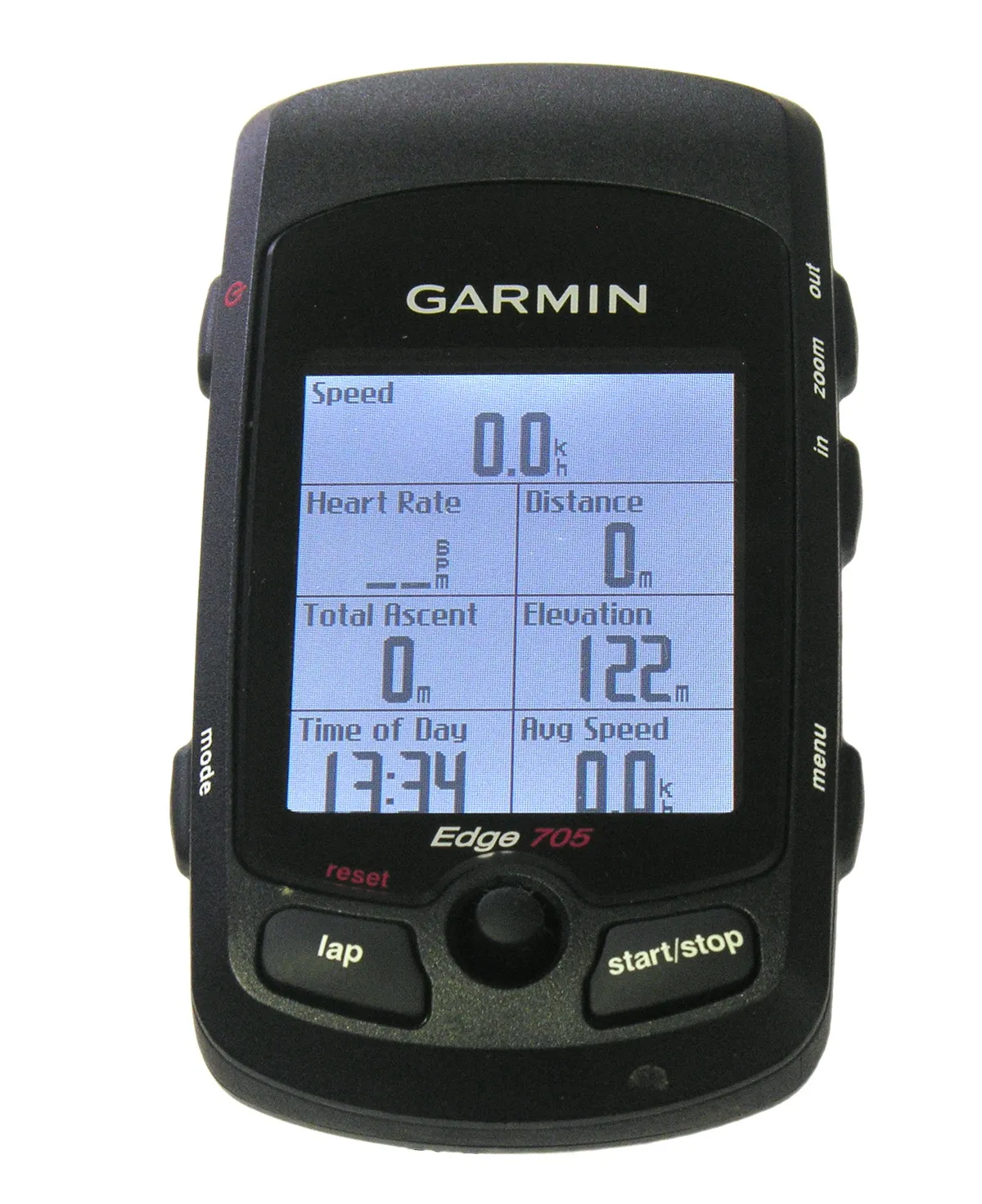
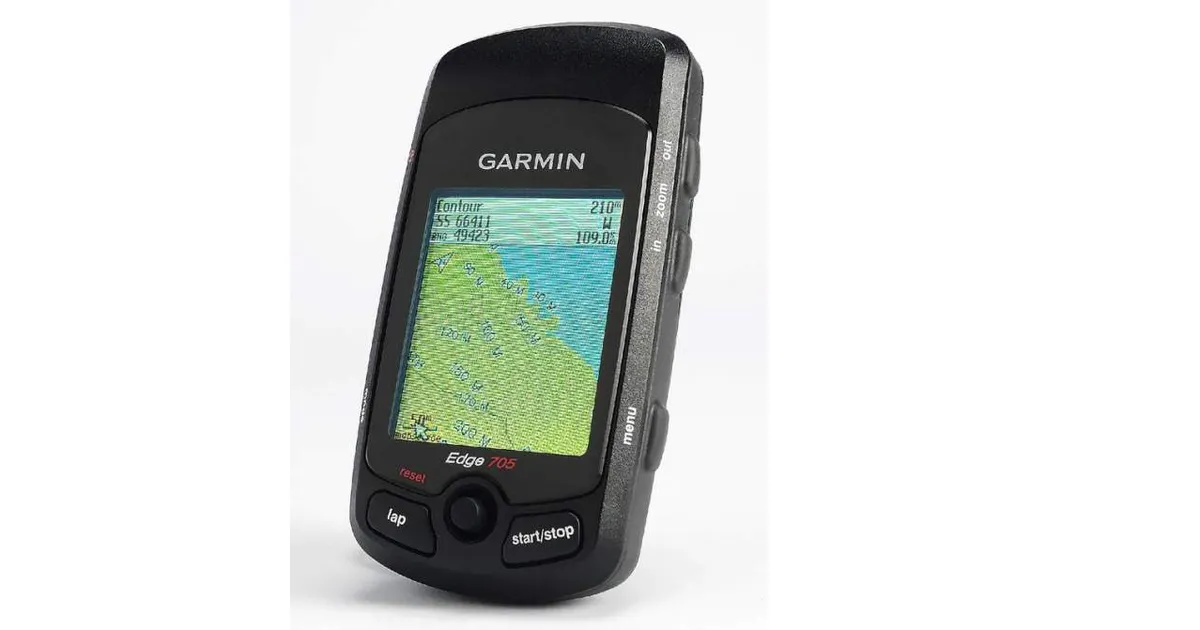
The display can show you a variety of information: map and route; up to 16 types of data in two screens; a compass with your bearing if you’re on a prepared route; an elevation trace of the ride so far and more. It sounds complicated but Garmin has done a great job of guiding you through the options.
We really like the number of simultaneous displays, how customisable they are, and the size of the screen. There’s a lot of information here.
Racers will like the array of training workouts, and the virtual training partner where you can race a recorded course – yours or someone else’s.
Local street maps
Don’t know where you’re going? If you have the right routable street maps installed, you can choose a destination and the Edge will guide you there. As you near a junction it beeps, and the screen lights up to tell you what to do next.
Using Garmin’s local street maps, we found this worked extremely well for navigating suburban streets. For longer journeys, be sure to set the routing options to ‘Bicycle’ or it’ll try and put you on the nearest motorway if it can.
One thing you don’t want to do is to try to follow its guidance in evening rush hour traffic. You probably won’t hear the beeps anyway, and so will sail straight past a significant junction. Even if you do hear what’s going on you don’t want to be trying to read a map in this situation. Yes, we tried it. Once.
We like the way you can just shove the Edge 705 in your pocket if you're on a different bike without a mount, and it'll still record everything pretty accurately. We’ve even sticky taped it to a time trial bike because we didn't want to take the PowerTap mount off. Of course if it's in your pocket, you can't use it during the ride.
Off-road, you can create a route as a ‘track’ and upload it in GPX format, and the unit will keep you tracking in the right direction.
However, if you're using the topo maps, be aware that the lack of detail makes a major change of plan tricky. You'll still need paper maps for emergencies on the hill.
Nominal battery life is 15 hours, an improvement on the Edge 305’s 12 hours, but still not quite enough for multi-day epics or solo 24 hour racing.
We found the Edge would charge off just about any charger that has a mini-B USB plug, which is handy for, say, charging it from your car between laps of a 24-hour race.
For serious training, the Edge 705 can display and record data from the latest SRM power meters and from Quarq’s CinQo meter. Saris is rumoured to be working on a compatible version of the PowerTap hub, which already uses the same 2.4GHz channel but not Garmin’s Ant+Sport protocol.
Computer & web connectivity
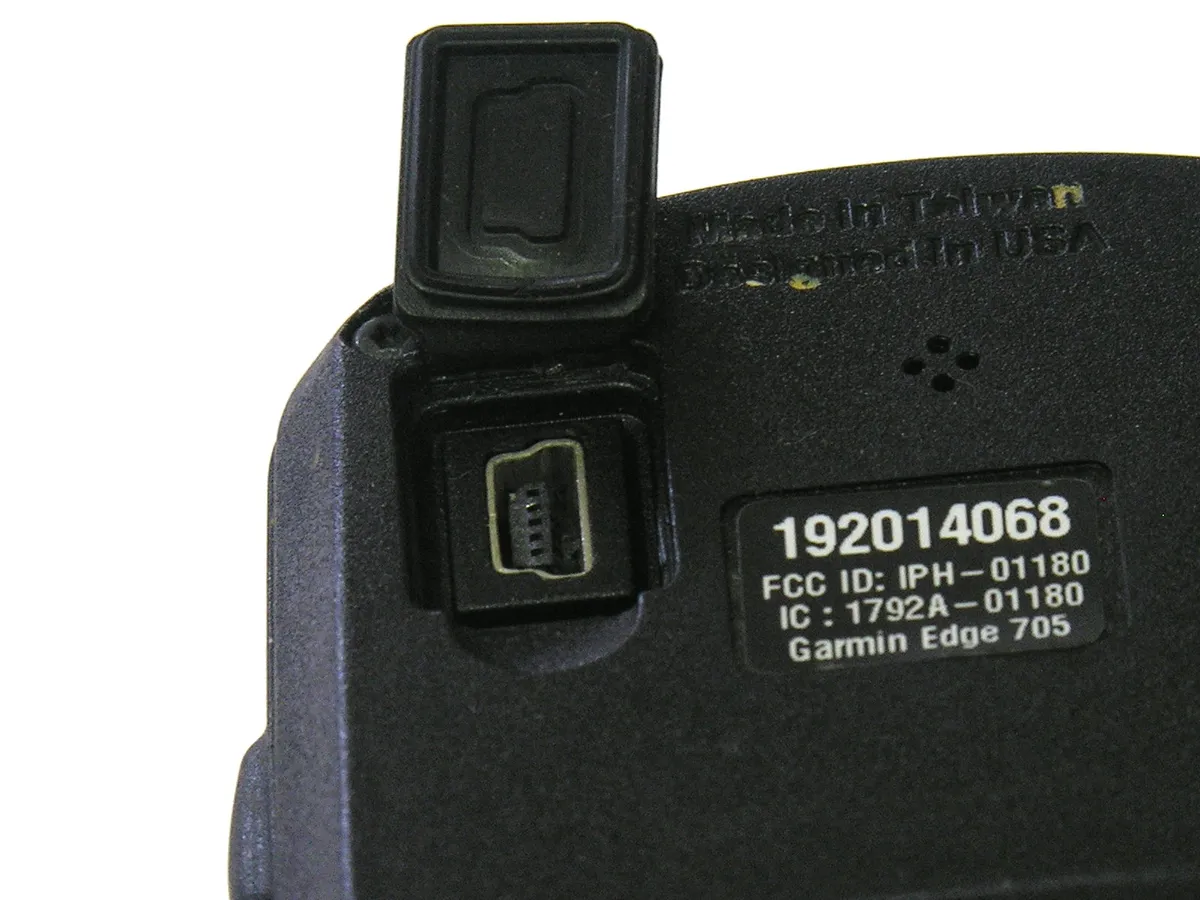
The Edge 705 has a mini-B USB port and functions as a USB mass storage device when you attach it to a computer. That means that with any modern operating system you can download the TCX files that it creates of your rides and save or manipulate them.
Garmin provides two pieces of software that work with the Edge, Garmin Training Centre and Mapsource.
Garmin Training Center displays the data from your rides so you can see, for example, how much time you spent in each heart rate zone, or how your heart rate correlates to the steepness of the road (closely, in our case).
While Training Center gives you a basic snapshot of any particular ride, you’ll want more powerful analysis software if you’re using the Edge 705 as a serious training aid.
Software like TrainingPeaks WKO+ can read the Edge 705’s TCX files. It can’t import them directly as it does for the Edge 205/305 but you just open them via the Windows or Mac file system as the Edge appears as a USB drive when you connect it to your computer.
GPS Visualizer can convert TCX files into the GPX interchange format for you.
For route planning, Mapsource plus an appropriate electronic map gives you tools for drawing routes and creating GPX files which you then load into the Edge.
Oddly, Mapsource can't read TCX files from the Edge 705, though it can read them off the Edge 305. The long-term plan was to provide this facility through the GarminConnect website, but as of the end of May Garmin says this is still really a 'skeleton site'.
GarminConnect.com was due to replace Garmin's previous site, MotionBased.com as a place for you to upload and store your rides. MotionBased was due to close May 21, with all user accounts moving to GarminConnect but has just been granted a reprieve till August or September while Garmin perfects GarminConnect.
Given that it's not finished we won't critique GarminConnect, except to say that we hope Garmin's plans go a lot further than the current pretty but functionally rudimentary site.
As Garmin adds features and fixes bugs, it releases updates to the Edge’s firmware. The most recent of these became available during the test period and it uploaded successfully to our test unit. Garmin says a future software update may deal with the 705's inability to load TCX files into Mapsource and Garmin Training Center.
Things we’d like to see
It's hard to think of a feature the Edge doesn't have, but we did come up with one: a gear indicator. The Edge knows how fast you're pedalling, how quickly your wheel is turning and how fast you are travelling, independent of measuring wheel speed. It should therefore be possible for it to work out what gear ratios you have available, and which one you are using at any time.
The Edge 705 has a barometric altimeter, that is, it reads your altitude from the atmospheric pressure. It’s slightly surprising that it doesn’t also have a thermometer as most barometric altimeter devices can also tell you the temperature.
This is probably because most barometric altimeters include a temperature sensor so they can correct for temperature when they calculate altitude. The Edge doesn't need to do this as it can correct its altimeter readings against GPS.
Nothing’s perfect, and as much as we have fallen deeply and passionately in love with the Edge, it has flaws.
The manual does little more than give you an outline of the Edge’s capabilities, rather than teaching you how to use it fully. There’s a gaping hole for ‘Garmin Edge 705 for Dummies’ or ‘Garmin Edge 705: The Missing Manual’.
If you forget to turn it off, the Edge will run its battery down. That's just silly. You should be able to set it to turn off after a period of zero or negligible motion.
We did find that the Edge 705 substantially over-estimates the number of calories you’ve burned. According to Garmin, the best algorithms for calorie consumption are protected by patents, so it’s best to treat this feature as a way of comparing rides for effort. If you eat to replace the food you have just burned, you’ll turn into a blimp.
Garmin doesn't currently offer any way of extending the battery life, but the Edge functions fine from its charger and a couple of other USB power supplies we tried. We'd therefore expect it to work with a battery pack like Energizer's Energi To Go Instant Charger, though we haven't tried it. There's probably also plenty of scope for mad scientists to make their own battery packs to extend the 15-hour runtime of the built in battery.
In the box
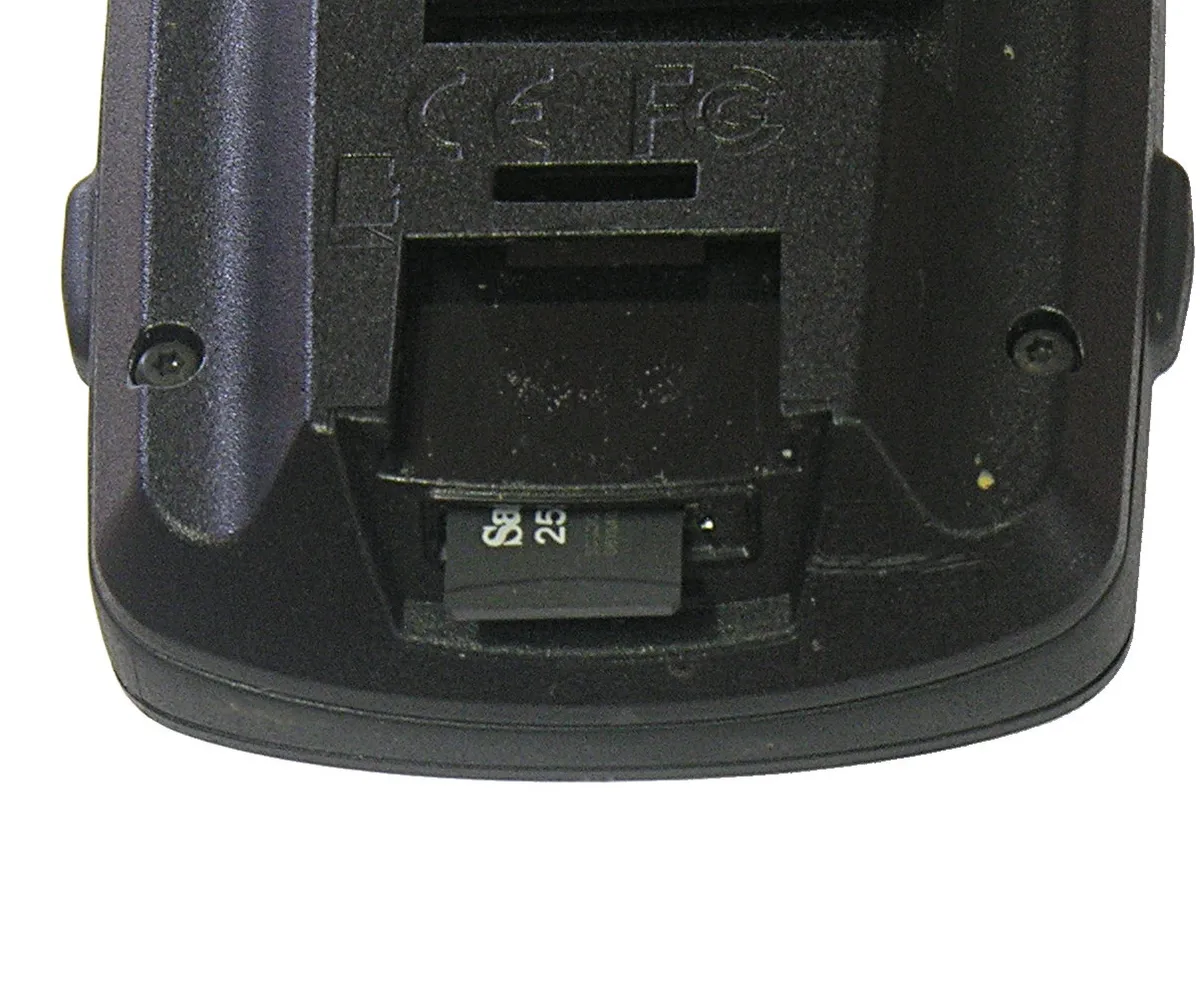
For your £359 you get the Edge unit itself, two bike mounts, a charger and USB cable, manuals, and either Great Britain topo maps (in the Offroad Performance Package) or a bike-mounted speed/cadence sensor and European road map (in the Road Performance Package). There are similar packages in other countries.
The mount zip-ties to your stem or bar and Garmin supplies two mounts so you can use it on two bikes. Use reusable zip-ties and you can swap it between even more bikes.
What's the score with BikeRadar reviews? You can find a full explanation of our ratings here.
User Reviews
There are 23 reviews on this post
Showing 1 - 23 of 23 comments
-
JonathanOsborne
Posted Fri 30 May, 8:09 pm BST Flag as inappropriate
This is a great bit of kit and the bikeradar review is accurate but be warned if you buy it
a) it is essential that you buy the maps that go with it as the basemap is very inaccurate and useless.
b) The explanation of how to use it with a computer is apalling. It is essential to understand the difference between waypoints/gpx files and course files which it does not explain. The only website which really explains this is:
http://frank.kinlan.co.uk/?page_id=920
Buy it, read the manual and then read Frank's page.
Jonathan
-
blorg
Posted Wed 11 Jun, 6:27 pm BST Flag as inappropriate
The Edge does have a thermometer for the altimeter, they just don't expose it in the interface (why, I don't know.) It displays temperature information when the thing does a wobbler and boots up in diagnostic mode.
-
GrumpyBear
Posted Thu 11 Sep, 3:17 pm BST Flag as inappropriate
Excellent piece of kit! I'd echo the comments about the user guide, what a pile of poo although playing with the unit and reading bits on the web helped.
I'd endorse the Frank Kinlan website above, helped a great deal.
-
buzzorca
Posted Sat 7 Feb, 7:52 pm GMT Flag as inappropriate
Good bit a kit ,cheaper on maps than the satmap but could do with a battery pack that you could put in ordinary batterys for longer trips,camping,the great outdoors,etc.
-
sgfoote
Posted Mon 8 Jun, 1:36 am BST Flag as inappropriate
Excellent bit of kit but the quality/ longevity leaves much to be desired - mine "froze" on longer rides, and gave up the ghost a little over 6 weeks after the warranty period expired. Very disappointing - at this price, I hadn't expected to have to buy a new one every 12 months.
-
legin
Posted Sun 26 Jul, 1:25 pm BST Flag as inappropriate
can i use this for running as well will it track me and the speed i run ?
-
LintonS
Posted Thu 20 Aug, 12:53 pm BST Flag as inappropriate
I've had a 705 for about 5 weeks now. It's good but the elevation/barometer readings are all over the place! Garmin are just playing this problem down but elevations adrift by 50 or 100ft are just not acceptable on a £350 item. If you aren't bothered about this then the 705 is excellent.
-
sneakybear
Posted Thu 3 Sep, 1:42 pm BST Flag as inappropriate
So, had this for 18 months and use it every day and for races, sportives and tours.
Brilliantly simple to use and (buy the map!) easy to navigate around too. More accurate than my new N97 phone (yet same as my N95 - go figure) in terms of GPS.
Excellent display (really bright and clear), fully customisable, brillinant route making (as per above read the page to understand the differences), good training tool and very complete package. Robust and simple connectivity. Excellent battery life and memory. Genuinely the most complete package for on the bike monitoring and direction. Even ANT+ compatible with my powermeter AND it's all in XML so I can fix any anomalies...
So the downsides... not as training focussed as Polar. Only 1 zone lockable at a time - ie HR OR Cadence OR Power... Elevation is useless, Calorie counter algorthym is wrong to the tune of 50%. accessories are cheaply made - bike clamp is rubbish as is the cadence monitor.
However the price... I think it's actually a bargain. You cannot get anything else like it anywhere, I suppose to replace it I'd have my PowerMeter control and a Polar CS600 which'd be more and not as compact.
If they can fix the calorie thing and the zone locks I'd give it 5 stars.
-
AFX
Posted Wed 16 Sep, 10:17 am BST Flag as inappropriate
Great unit, but it would want to be for the price!
-
snharding
Posted Sun 15 Nov, 5:21 pm GMT Flag as inappropriate
I've had my 705 for a few months now, and I am totally impressed with it. I did invest in the Road Performance Bundle, and this came with the SD map. Once inserted to the unit, I was ready to go. The Quick Start manual is excellent, and the unit's features are intuitive to an extent, but I agree with the comments before re the need for a simpler manual. I particularly like the fact that the cadence / speed sensor is located on the chain stay....much, much better than my Polar CDS200. My Polar kept cutting out (despite relocating the unit and replacing batteries); the 705 has never lost a second and has never cut out.
The Training Partner is excellent, and I love the ability to set up simple and advanced workouts that you can then "compete" with the training partner.
I map routes in mapmyride.com and then "save to Garmin". I simply drag them over to the "course" folder on the unit. When on the bike, go to courses and select your mapped ride. The 705 will then tell you where to go. Brilliant. Also, when you map your ride in mapmyride.com, when you save the route, you have the option of inputting a target average speed, which you can then race against using the virtual Training Partner. Again, brilliant.
It also works a treat on the turbo trainer, and has transformed my sessions on the turbo. The ingenious speed / cadence knows when you're not going anywhere, and thus uses the speed sensor to measure the distance you're traveling. You can turn the GPS off, to save power, and all other details are recorded (assuming you have the supplied Heart rate Monitor fitted to your person).
It's a fantastic piece of kit. Use it on Sportives, save the ride, and ride it again on a later date, knowing you'll be able to ride exactly the same toute.
Don't think about it, just buy it. I wish I'd bought one ages ago.
-
punky
Posted Fri 22 Jan, 4:35 pm GMT Flag as inappropriate
I've just finished a month-long trip around Britain (www.thethirdcat.wordpress.com), and bought the 705 for that purpose.
The whole trip was to be on roads I didn't know, and I wanted to stay on the smallest roads possible, being traffic-averse as I am.
In short, the 705 worked like a dream, for the purposes I was needing it. I successfully cycled 1200 miles on occasionally tiny roads, and didn't get lost once. The trip just wouldn't have been possible without it (checking maps every mile or two in the rain, no thanks!), and nothing about the 705 caused me major problems on the trip.
My routine was to create my route on the internet, download it to the computer, and then drag it on to the 705 which you connect to the computer using the provided USB cable. That process was dead easy, and I was using bikeroutetoaster.com. This site was great, although it was down for a week or so in the middle of my trip so I had to switch to mapmyride.com, which was more clunky and I wouldn't recommend (more later).
Once your route is on the computer, its very simple to pull up the route and get cycling. Generally the unit is extremely user-friendly, and within a day or two of starting my trip I felt very confident with it. The process of using it whilst cycling is good, the screen is really visible, interfaces clear, and it bleeps to tell you when you're coming to a junction, so you don't have to be always looking at it.
Other positives - battery life is great.
So why not 5 stars? Well, there are a few things that aren't perfect about the unit, but which certainly wouldn't put me off recommending it to anyone to buy. They are...
- From time to time the purple route line that you are following on the map will leave the road and take an 'as the crow flies' path to a point further along your route. Usually only a mile or so further on, so you can take an accurate guess which road you should be taking, but still a bit of a pain. I found that this happened a lot more when using the mapmyride.com routes than when using the bikeroutetoaster.com routes, so I think this may be a route-creation-software issue rather than a fault with the 705 itself.
- From time to time the unit will tell you you're approaching a junction, when actually it is only a turn in the road. Not a huge issue. Similarly, it will sometimes fail to tell you you're approaching a junction, believing that the road you are on is the main road, when actually you're joining a main road from a smaller road. This happened a lot when approaching a small crossroads, if you were going straight on, it wouldn't tell you you were approaching a junction. It will also sometimes lead you down a one-way, or ask you to make a turn when its not possible to turn. Again, I don't know whether this is an issue with the route creation software or the maps on the unit.
- The altimeter doesn't seem very accurate, and at times was telling me that I was 20 metres below sea level, when I certainly wasn't!
- It can take a long time to load the route. The progress bar will get up to 100%, then often you wait the same time again for it to actually load. Sometimes 3-4 minutes, so you need to load it a few minutes before you are due to go. It can also be similarly slow when required to re-calculate a route if you decide to go a different direction. Nowhere near as fast as car sat-navs.
- The maps themselves are quite difficult to 'read' in terms of being able to use them to have a look at the area you are in, or where you are heading. I'd often head into a village or town but not be ale to see from the map what the name of it was. And if you're lost, then trying to navigate the maps on the small screen in order to find your way around is not easy. Its a symptom of the size of the screen mainly, but also the fact that street names get in the way, although there is a facility to reduce the number of labels that appear. In general the unit works brilliantly when you want to follow and stick to a route, but not as a way to have a map available in front of you if you're making it up as you go along.
I can't comment on what the 705 is like for working out its own routes, but for what i used it for it was brilliant, and I had a lot of faith in it to get me to my destination accurately. The niggles I've quoted were not ones that caused me a big problem, and the benefits of this nifty and easy-to-use unit far outweighed the other things. I'm not aware of a better unit out there, and if you're weighing it up against the Edge 305, which I had before, then they are totally different things, and the 305 is essentially just an over-priced heart rate and bike computer, not a GPS and certainly not a sat-nav. Well worth spending the bit extra.
-
ervo
Posted Sun 24 Jan, 3:36 pm GMT Flag as inappropriate
I agree that the tool is very good. I've been using it over a year now. But I also agree that the maps aren't very special and it takes a lot of effort to get the hang of it.
One serious problem though is that when you upload to a PC the total ascent figure that appears on Garmin TC is different from the figure on the machine. This happens every time. Today for instance I finished a ride with a figure of 712 m total climb but the figure once uploaded became 1038m in the total ascent column. If anyone can explain this and also tell me how to correct it, that would be great.
The altimeter also varies quite a bit. As compared with heights on an OS map it can be pretty spot on, but on other occasions well out. I have 2 cycling pals wiht the same machine and we often end up wiht different figures at the end of the same ride on the same day.
-
cneros
Posted Wed 10 Feb, 8:39 pm GMT Flag as inappropriate
is anyone else getting bad reading off their Garmin 705 with a Power tap while on a trainer. Ex: the power, distance and speed all being way off? Were you able to fix it? On the road it's great
Thanks,
-
bleckb
Posted Fri 7 May, 7:12 pm BST Flag as inappropriate
How reliable are the 705 units? I've had an edge 305 that I had replaced by Garmin several times. I finally opened it, voiding the warranty, and soldered the power line to a node on the board, but now it seems totally dead. Has there been a power issue with the 705 that has been all too common on the 305?
-
J Probe
Posted Tue 18 May, 6:26 pm BST Flag as inappropriate
I have had a 305 (with HR & CD) for nearly 2 years, racking up 1300 mile with it, which are stored on my lap top and garmin connect. After many many months my faithfull bike shop (Red Kite Cycles, Shirley / Nick) have convinced me the 705 is the way to go. So I've ordered one and waited with baited breath.
I have not found the 305 lacking in any respect except for directions. Time is premium to me, so when I do get to go out on my bikes (mountain & road) like to make the most of it, I've found myself directing from memory and taking most conveluted route possible :-) .
I have a couple of questions (may be not for this site, if not pls steer me in the right direction).
All the data from my 305 are stored on garmin connect & training centre, will this be over written? Can I up load it to the 705?
Routes i've already taken can I now (upon reciept of 705) edit and use as new routes?
Is it possible to create a route from the net (having never riden it) and up load it?
-
J Probe
Posted Mon 24 May, 9:17 pm BST Flag as inappropriate
Finally got it, initial thoughts are everything the 305 lacking, love it! If you had a Garmin unit before setting it up all comes flooding back, despite the short comings of the instructions. It's almost as easy 'to set up as your video (if you still have one)'.
-
chuckrock57
Posted Sun 13 Jun, 10:35 am BST Flag as inappropriate
Just ot it after much thought.
Brilliant and very easy to use.
Slight concern about rapid increase in heart rate at beginning of ride (said 200+bpm) which settled to a more reasonable level when going up steep hill. Read around the issue in forums seems synthetic clothes can cause interference at beginning of exercise period. WIll try the suggested solutions of wetting area around sensor before I use it next. Was just quite pleased not to be really that unfit!
Looking forward to trying some of the rides shared on garmin connect. Nice to see some local ones both on and off road and be able to have an idea of terrain and likely ride time too.
Training centre useful to monitor performance/progress towards targets and would have been for me a good motivator in the weight loss improving fitness stage.
-
bridgo
Posted Sat 24 Jul, 11:34 pm BST Flag as inappropriate
there are a couple things that are stopping me from getting one . the bike mounts on my mates bikes keep breaking does anyone else have this problem also is there a screen cover available as i have had a trekking gps (garmin 60csx) and have cracked the screen , this is not such an issue when walking as you have it in your jacket but on your bike it is exposed to all the elements and with the possibility's of dropping it, ie crashing ,forgetting its on your handlebars with the bike upside down or like a mate ,fell over running with it in his back pock a scrren protector would be just the job
oh and a thermometer
bridgo
-
plinko
Posted Thu 12 Aug, 10:51 pm BST Flag as inappropriate
It's good but not great for training!
I can't really compare this product to another Garmin Product, but I can compare it to another brand. What I really have to say is that this product is really used for it's gps features and not the biometrics or its training software.
To me the auto pause and auto lap feature is a joke. In order for it to work you have to use a simple workout. It can't work if you just want to record your ride, or make an advance workout program (ex: warm up phase, activity phase, cool down phase). Maybe it's just me, but I live in a city where there's a lot of lights causing me to stop at times. It gets kind of annoying pressing pause all the time then remembering to press start when the light is green.
The gps is fine, but you have to remember to purchase the one w/ a map to get it's turn by turn direction. If you're in the market for biometric monitoring and improving your ride try some other company like Polar. But if you don't know your way around the city and need a turn by turn gps (which was only fun the first couple of days) then Garmin is the way to go.
-
Green Rider
Posted Sun 13 Feb, 4:14 pm GMT Flag as inappropriate
Got this Garmin Edge 705 and its the biggest piece of crap I have ever used.
Having just spent an hour figuring out my Garmin, I can only conclude you're are better off getting a car one and cable tieing it to your bike- this bike version is rubbish.
Fundamantaly, the Garmin Edge 705 (the supposedly better version) cannot take you to an address of choosing, or easily to to a GPS coordinate.
The instruction manual (page 13) refers to a 'Where to > Find Places > Address' option. - so you can input an address and use the machine to get there.
- However, this option of 'Address' does not exist (only 'Favourites' and 'Cities' are given as options. So the fundamental purpose of typing in an address and navigating to it cannot be met.
So it may be a nice little novelty to track your route and share it with people on the net, or find out how fast your heart is beating whilst training, or more appropriatly when you get frustrated with your Garmin....
But this Garmin bike computer has only helped me with only two route options - back to Wiggle, or the recycling bin.
This Garmin GPS computer that doesn't have a simple address input or co-ordinate inputer should be navigated straight back to China for recycling.
Is everyone just using this junk for training rather than actually getting to places?
If so, then I'll find a brand that does a suitable product. This gift has wasted my time and is being returned ASAP.
-
Green Rider
Posted Sun 13 Feb, 4:15 pm GMT Flag as inappropriate
Got this Garmin Edge 705 and its the biggest piece of crap I have ever used.
Having just spent an hour figuring out my Garmin, I can only conclude you're are better off getting a car one and cable tieing it to your bike- this bike version is rubbish.
Fundamantaly, the Garmin Edge 705 (the supposedly better version) cannot take you to an address of choosing, or easily to to a GPS coordinate.
The instruction manual (page 13) refers to a 'Where to > Find Places > Address' option. - so you can input an address and use the machine to get there.
- However, this option of 'Address' does not exist (only 'Favourites' and 'Cities' are given as options. So the fundamental purpose of typing in an address and navigating to it cannot be met.
So it may be a nice little novelty to track your route and share it with people on the net, or find out how fast your heart is beating whilst training, or more appropriatly when you get frustrated with your Garmin....
But this Garmin bike computer has only helped me with only two route options - back to Wiggle, or the recycling bin.
This Garmin GPS computer that doesn't have a simple address input or co-ordinate inputer should be navigated straight back to China for recycling.
Or is everyone just using this junk for training rather than actually getting to places?
If so, then I'll find a brand that does a suitable product. This gift has wasted my time and is being returned ASAP.
-
wagtail685
Posted Mon 13 Jun, 11:06 am BST Flag as inappropriate
Oh my word. This has to be the most disappointing purchase I have made, apart of course from a car mounted Garmin sat nav that was equally as frustrating.
I used this to do my London to Paris trip a few days ago with my wife and a friend and prior to the trip spent weeks checking and re-checking the route via Bikeroutetoaster. Managed to transfer the routes from the web site to the 705 easily enough and was set to go.
It finds the satellites easy enough but then you have to work out how to load the route. Saved route? No. Course? No. Where the hell is it? Training? Why is it in there? OK, so I loaded it from there...First thing I get is ‘Off Course. Press enter.’ Not a good start. So I press enter. Now what? Nothing. It does nothing. It doesn’t tell me how far off course I am or what I have to do to get there. But I’m in the car park that I placed the start point on Bikeroutetoaster. Take a look at the display that shows it is currently accurate to 26 feet. 26 feet?! I want it accurate to within a few feet, not the width of dual carriageway for heaven’s sake. So I walk around the car park trying to get a fix so it can tell me where to go but it just keeps beeping at me telling me I’m ‘off course’.
We set off and after 2 miles, countless beeps, endless ‘off course’ messages and no suggestions how we can get back on course from the 705 I reset the device and decide to just follow road signs and use its data recording. But it keeps telling me I’m ‘off course’ even though I have no course plotted.
So this time I turn it off completely.
After a while we all decide to give it another chance and I turn it on again, reload the route and lo and behold there it is. ‘Course found’. And we’re off! But something’s wrong. The digital compass is pointing North West? We’re heading to France! I trust its judgement and we go on for another hour with the 705 seemingly confident in its directions and guidance. Stop for a coffee and re-check the route only to find we have been heading almost 20 miles west of the direction we were meant to be.
705 off, in the bag (it’s very lucky it wasn’t in the pond we were sat next to) iPhone out and maps opened and that is what we used, successfully I might add, all the way across into France and finally Paris.
Checking the data on the 705 back home it shows the route we took and the one we were supposed to and it turns out we rode 36 more miles than we needed to between Croydon and Newhaven. It is also very clear on Google earth the exact moment it was turned off in favour of the iPhone.
But, and there is a good point to the 705, if you are out for a ride with no route plotted and fancy a meal, coffee or just want to go home, then it’s easy to plot a route via points of interest and it will take you there having found your exact(ish) location. But just don’t rely on it to follow a route you’ve loaded via the web.
Oh, and the cadence sensor fell off my crank arm but even before that it has never managed to register any cadence despite having calibrated it many times.
My advice is to buy a motorcycle Tom Tom sat nav, a paper map or a mount for your iPhone with a bolt on for internet use abroad so you can use Maps. Just don’t what ever you do go anywhere without a back up to this over priced piece of rubbish. It’s like having that annoying mate in the car who’s had a few beers and is trying to get you to his mate’s house. He’s sure it’s this way, but can’t really be certain so just head roughly in that direction until he sees something he recognises.
Would I recommend it? At the moment I would say no because it spoilt my trip and resulted in me getting angry and my wife and friend getting frustrated with me when it should have been a happy time. So for that reason I’ll never forgive it. But, if anyone lives near Plymouth who reckons they know that I did something obviously wrong when I used it then feel free to email me at mikeswatson@aol.com.
-
VTTBOSCOMBE
Posted Wed 17 Aug, 12:54 pm BST Flag as inappropriate
I have had my 705 for 2 years now, and after a stormy first couple of months, I have learnt to love it.
All the bike monitoring stuff is great so, much data; but calories burnt is a joke - I usually run my FR60 at the same time to get a more accurate picture - basically 75% of what the 705 tells you is more accurate.
Green rider must have had a duff one; because all my address searching works.
Wagtail - I think you need to do some effort to get this baby to work - it sounds similar to my experience out of the box I had with it.
I did find you had to struggle through a very non intutitive experience to get the best out of it, I will say that Google is your friend for such activities.
Frank Kirlan and DCRainmaker are the top searches. Once you get ontop of MapSource and how that works it works OK.
As for Maps there are enough , pretty much free Opensource ones that you can use that reduce the cost alot too.
I suppose i should have waited a bit longer and got the 800; but nothing on that, except for better HRM strap, touch screen and temperature seems to be a step up, well thats my story anyway.
Warning though - the more maps and waypoints etc you put on, the slower it gets when you are trying to find a saved ride etc.
As a minimum you need to get the Garmin City Navigator map - the base map is next to useless.
I give it a 5 as it is great kit, I think Garmin would have to produce a 1000 page brochure to do it justice, and killed too many trees.
You'v'e got to work at it.
Specification
- Name:
- Edge 705
- Built by:
- Garmin
- Price:
- $499.99
- Controls:
- Backlight, Joystick Control
- Manufacturer's Description:
- Trainer. Navigator. Edge 705 pushes you to do your best, then shows you the way back. This GPS-enabled cycle computer knows no limits. Get heart rate, cadence, turn-by-turn directions, power data (from ANT+Sport™-enabled third-party power meters) — the works. Even share your data with other Edge 705 buddies after your ride. All wireless with a color display, this is no ordinary cycle computer.
- Weight (g):
- 105 g
- Dimensions:
- 51 x 102 x 19mm (2 x 4 x 0.75in) mm (w x h x d)
- Battery Details:
- rechargeable li-polymer
- Accessories:
- Heart rate monitor, speed/cadence sensor and data card
- Battery Life:
- 15 Hours
Related links
Also on BikeRadar
Racing

MTB World Cup Eliminator #3: Wins for Lüthi and Rissveds
Full results and report from...
Fitness

BikeRadar Training 1000 mile challenge leaderboard
First rider hits target...
News

Rotor and SRM partner on mountain bike power meter crankset
3D+ MTB Double available next...
News

Derby velodrome plans uncertain after change in council leadership
New Labour administration...
News

New wind tunnel and fitting service offered in UK
Prestige Cycles working with...
Magazines

At home with the Athertons
Gee, Rachel and Dan Atherton...


