The best bike computers enable you to measure your performance, log rides on apps such as Strava and navigate. The majority provide turn-by-turn guidance.
Garmin dominates the market while Wahoo isn't far behind. But brands including Bryton and Hammerhead are giving the road and mountain bike GPS cycling giants a run for their money with useful features and sharp pricing.
We recommend the Garmin Edge 850 as the best overall bike computer. It's packed with impressive training functions, and its new screen makes reading your stats and checking route direction easier than ever.
Keep reading to see all our picks, or jump to the end to read our buyer's guide to cycling computers.
This best list was written by our staff writer, Nick Clark, who has brought together expertise from across the team while adding his personal experience using computers for training and touring.
The reviews in this buyer's guide were written by Paul Norman, Warren Rossiter, Ashley Quinlan, Russell Burton, Liam Cahill, George Scott, James Witts and Simon von Bromley.
Editor's note: this list was updated on 20 May 2026 with our latest reviews, including the Garmin Edge 850 and Wahoo Elemnt Roam 3. We have also added the Garmin Edge 550 to our Also Consider section and selected new awards.
Best bike computers 2026 as reviewed by our expert testers
SQUIRREL_PLAYLIST_10137826
Best overall: Garmin Edge 850
SQUIRREL_TEXT_13327122

- £469.99 / $599.99 / €549.99 as tested by Ashley Quinlan
- Pros: Great performance and easy setup; best-in-class screen; neat shell; flagship-level Garmin features
- Cons: Pricey; battery life
Garmin's Edge 850 incorporates many of the brand's flagship features, leaving only the screen size as the only real measurable difference between it and the top-spec Edge 1050.
The computer is fast and responsive to inputs, using a touchscreen and button configuration that makes menu and map navigation easy to do on the fly.
Its new screen is bright and one of the best we've seen on any bike computer we've tested.
It does come at a price, though, and the battery life isn't as long as others on this list.
SQUIRREL_13327122
Best value: Bryton Rider 650
SQUIRREL_TEXT_13782523

- £139.99 / $169.95 / €169.95 as tested by Warren Rossiter
- Pros: Intuitive functions; good battery life; connects fast; bargain price
- Cons: Not as feature-packed as other premium offerings; auto-brightness can be a little dim; map colouring is a little busy
The Bryton Rider 650 packs in a lot of features and specs at an incredible price point that is less than half of premium competitors.
It has has a large touchscreen, long claimed battery life and full Bluetooth and ANT+ support, along with compatibility with electronic groupsets and ebikes.
While it has some quirks, Warren says he'd happily live with them for the money saved, making the Rider 650 the best value we've ever tested.
- Read more: Bryton Rider 650 review
SQUIRREL_13782523
Most desirable: Garmin Edge 1050
SQUIRREL_TEXT_13086848

- £650 / $700 / €700 / AU$1,170 as tested by Ashley Quinlan
- Pros: Impressive screen; deep feature set; great connectivity
- Cons: Fiddly on-device mapping; might not fit on previous mounts
The Edge 1050 is Garmin's flagship model and ticks all the boxes for features and compatibility.
We found it did the basics well during our tests. The hardware and user-interface improvements make the device easier to live with, although on-device mapping remains fiddly.
The computer has plenty of social features that look set to make it future-proof.
- Read more: Garmin Edge 1050 review
SQUIRREL_13086848
Bike computer specs at a glance
| Model | Navigation | Training Data | Connectivity | Size (mm) | Screen |
|---|---|---|---|---|---|
| Garmin Edge 1040 Solar | Full-colour with turn-by-turn routing & rapid rerouting | Training status, load, VO2 max, recovery time and more | ANT+, Bluetooth, Wi-Fi, USB-C | 59x118x20 | 3.5in (89mm) colour touchscreen, 282x470px |
| Bryton Rider 650 | Full-colour turn-by-turn & rerouting | Comprehensive metrics with advanced workout | Bluetooth, ANT+, Wi-Fi | 84.5x56.8x16 | 2.8in colour touchscreen |
| Garmin Edge 1050 | Best-in-class navigation | Highly customisable metrics | ANT+, Bluetooth, Wi-Fi, USB | 60.2x118.5x16.3 | 88.9mm colour touchscreen, 480x800px |
| Sigma ROX 11.1 Evo | Breadcrumb trail with Komoot sync | 150+ functions | BLE, ANT+ | 46.8x66.1x20.8 | 1.77in, 128x160px |
| Garmin Edge 840 Solar | Full-colour maps with turn-by-turn mapping | Comprehensive metrics with advanced workout | ANT+, Bluetooth, Wi-Fi, USB-C | 57.8x85.1x19.6 | 66mm, 246x322px |
| Garmin Edge Explore 2 | Full-colour maps with rerouting | Live power & HR; training metrics | ANT+, Bluetooth, USB-C | 106x56x21 (104g) | 3in (76mm) colour touchscreen, 240x400px |
| Hammerhead Karoo 3 | Full-colour turn-by-turn routing & rerouting (GPS/GLONASS/Galileo) | Comprehensive metrics including Wind Dynamics | Bluetooth, ANT+, Wi-Fi | 60.2x118.5x16.3 | 3.8in touchscreen, 480x720px |
| Wahoo Elemnt Ace | Full-colour turn-by-turn & rerouting | Comprehensive metrics including Wind Dynamics | Bluetooth, ANT+, Wi-Fi | 60.2x118.5x16.3 | 3.8in touchscreen, 480x720px |
| Wahoo Elemnt Roam V2 | Larger screen for improved mapping and navigation | Extensive metrics configurable via app | USB-C, Bluetooth, ANT+ | 90x60 | 68.6mm, 240x400px |
| Garmin Edge 850 | Full-colour with turn-by-turn routing & rapid rerouting | Training status, load, VO2 max, recovery time and more | ANT+, Bluetooth, Wi-Fi, USB-C | 54.6x92.2x16.8 | 420x600 colour touchscreen |
| Garmin Edge 1050 | Full-colour with turn-by-turn routing & rapid rerouting | Training status, load, VO2 max, recovery time and more | ANT+, Bluetooth, Wi-Fi, USB-C | 60.2x118.5x16.3 | 3.5in (88.9mm) colour touchscreen |
| Wahoo Elemnt Roam 3 | Larger screen for improved mapping and navigation | Extensive metrics configurable via app | ANT+, Bluetooth, Wi-Fi, USB-C | 96x53x24 | 2.8" high-resolution touchscreen display |
Best of the rest
Garmin Edge 1040 Solar
SQUIRREL_TEXT_13076461
- £629.99 / $749.99 / €749.99 / AU$1299.99 as tested by Paul Norman
- Pros: Large screen; solar charging
- Cons: Takes up lots of bar space; screen can be hard to read
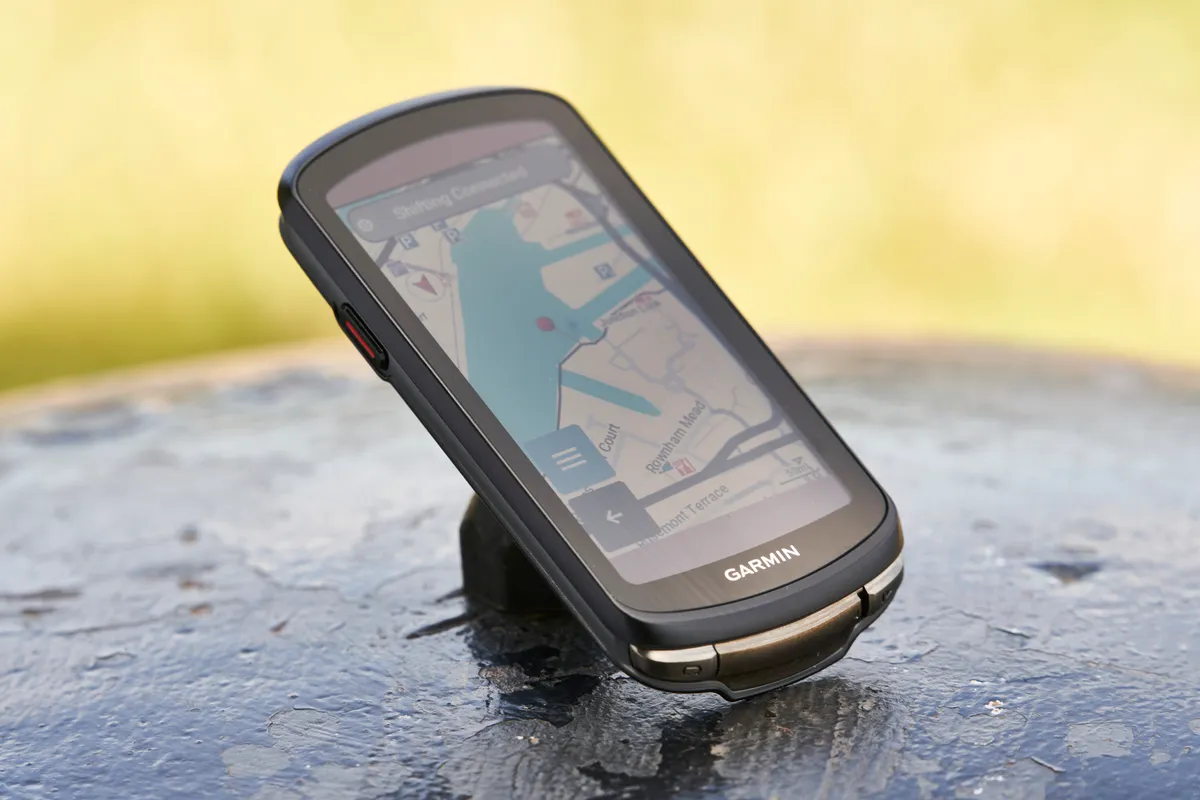
Garmin’s Edge 1040 Solar computer has a neat trick: there’s a solar glass screen that can extend your runtime up to an industry-leading claimed 45 hours. We regularly gained 10 minutes per hour of extra charge on summer rides. There’s a non-solar option as well, which costs less.
Size-wise, it’s a large device, a tiny bit larger than the Edge 1030 Plus, but it’s got 64GB of memory, so it can store twice as much data. The Edge 1040 is much more of a training aid than just a ride recorder, so it gives you your training status, recovery time and more. It’s highly configurable and records loads of training stats.
It links automatically into the best-in-class Garmin Connect training infrastructure, giving you route planning using Garmin’s heatmaps from its rider community and lots of post-ride analysis options that others make you pay for. Garmin Connect also enables you to integrate data from Garmin smartwatches, to give you 24/7 fitness and training status analysis.
- Read more: Garmin Edge 1040 Solar review
Wahoo Elemnt Roam 3
SQUIRREL_TEXT_13205840

- £399.99 / $464.99 / €449.99 as tested by Ashley Quinlan
- Pros: Improved screen; quick set-up and easy interface; good battery life; excellent navigation
- Cons: Slow boot time; touchscreen can be slightly laggy; not as slim as others
The Elemnt Bolt 3 is an excellent bike computer, with top fitness and navigation features for those looking to train or tour.
It's easy to set up, and Wahoo's operating software is quick to learn with the mapping being a key standout.
We did find it to be a little slow compared to its rivals on initial startup, with the touchscreen being laggy on occasion.
It's also not as slim as its competitors, though its battery life is a strength.
Sigma ROX 11.1 Evo
SQUIRREL_TEXT_13096119
- Price: £249.99 as tested by Russell Burton
- Pros: Packs lots of tech for its size; colour-coded screen; customisable data
- Cons: No touchscreen; basic navigation
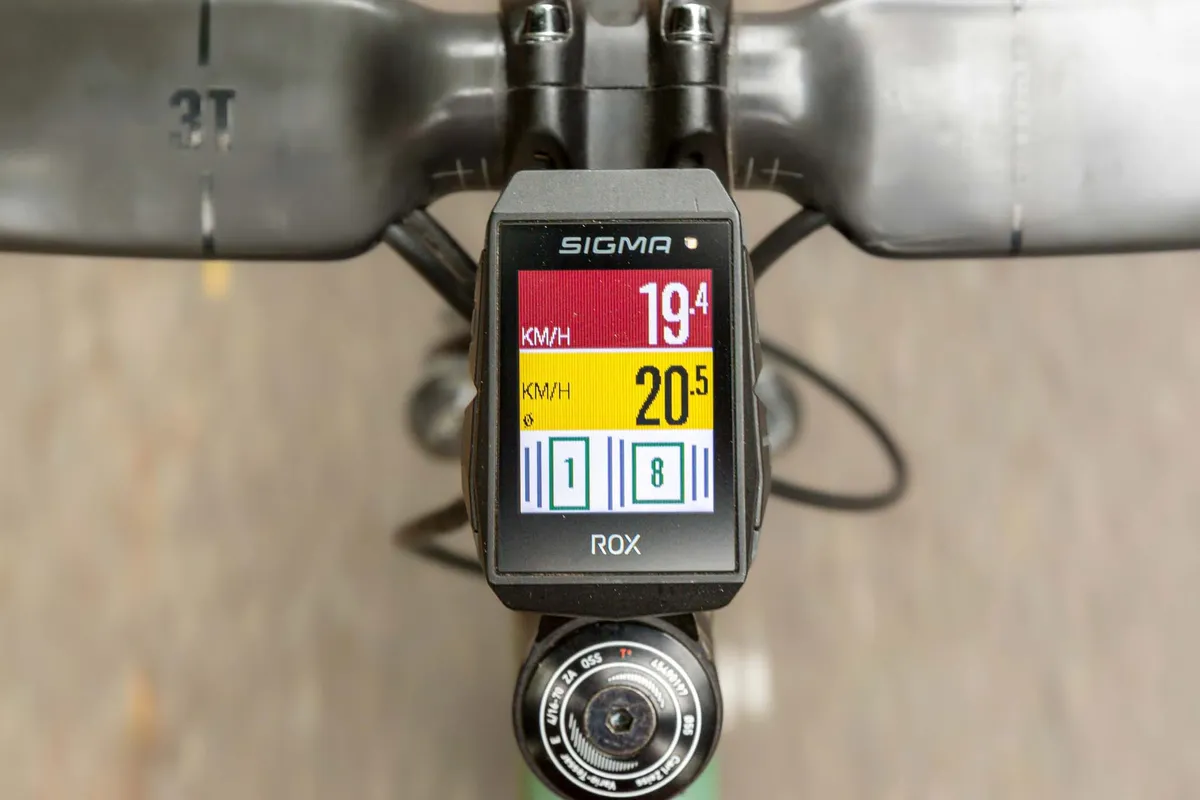
Sigma may not be as well-known as the likes of Wahoo and Garmin, but its ROX 11.1 Evo is an excellent bike computer, combining a user-friendly interface with riding and training data.
The unit has a 1.77in display, which is smaller than many other bike computers, but this means it sits unobtrusively on your handlebar.
The computer has over 150 operations, including an emergency crash notification feature, and you can save up to 20 profiles to display different information, making it great if you ride across cycling disciplines.
When it comes to mapping, you can upload routes from Komoot in the computer’s smartphone app.
The display only shows a breadcrumb trail, which is fine for road and gravel rides, but not so great for mountain biking.
If simplicity is what you’re after, the ROX 11.1 Evo is a good bet.
- Read more: Sigma ROX 11.1 Evo review
SQUIRREL_13096119
Garmin Edge 840 Solar
SQUIRREL_TEXT_13076445
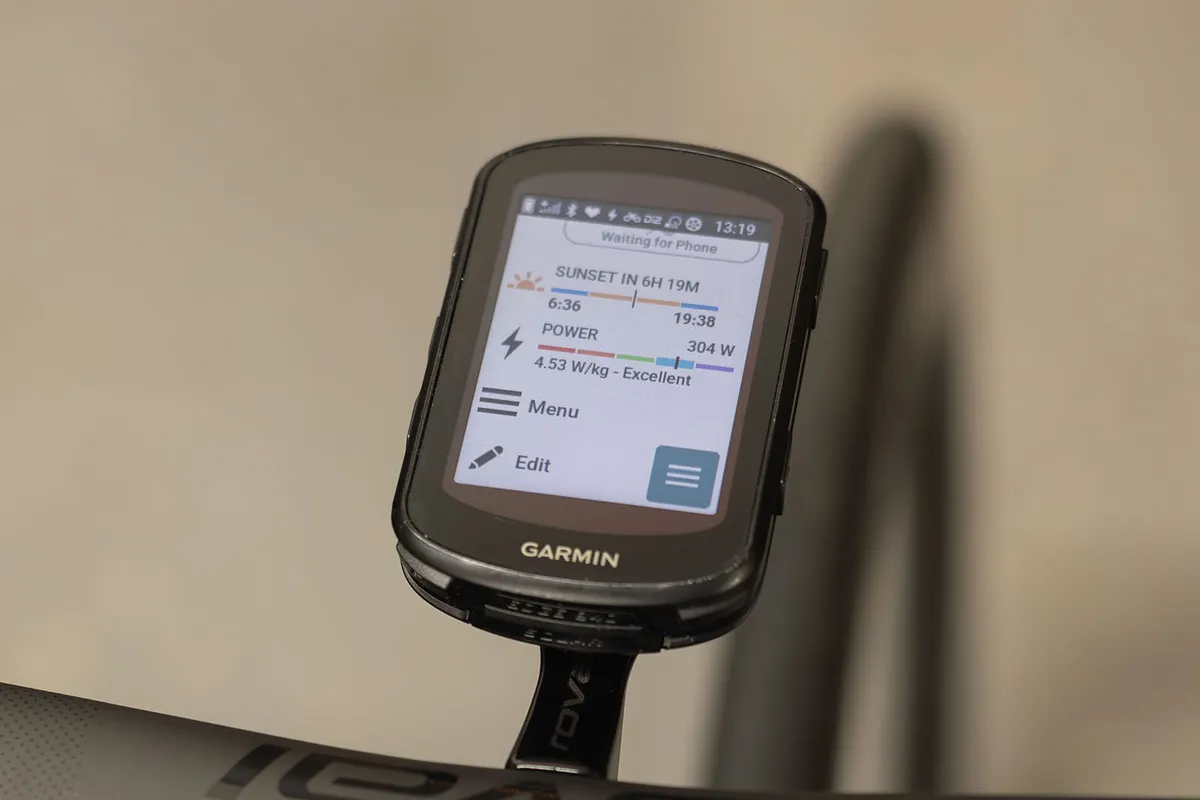
- £520 / $550 / €600 / AU$879 as tested by Liam Cahill
- Pros: Mapping; touchscreen; compact
- Cons: Solar function is limited in dull conditions; price
The Garmin Edge 840 Solar is a top-notch bike computer with spotless navigation and a user-friendly touchscreen.
New functions include ClimbPro and Garmin Music, which worked okay for us despite some glitches.
However, solar charging adds £70/$50 to the cost of the standard version. In the UK, this doesn't boost the already respectable battery life enough to justify the outlay.
Tech such as GNSS (Global Navigation Satellite System) has trickled down from the likes of the Edge 1040 to the benefit of mapping. But the Edge 840 screen is smaller than the more premium model.
The Edge 840 Solar also receives the new Garmin touchscreen homepage. This displays some of the mid-range computer's many training metrics, your last ride data and the most recently added route.
The homepage has more customisation options than before (for example, data fields). Or, you can now tweak device settings on your phone through the Connect app.
- Read more: Garmin Edge 840 Solar review
SQUIRREL_13076445
Garmin Edge Explore 2
SQUIRREL_TEXT_13079802
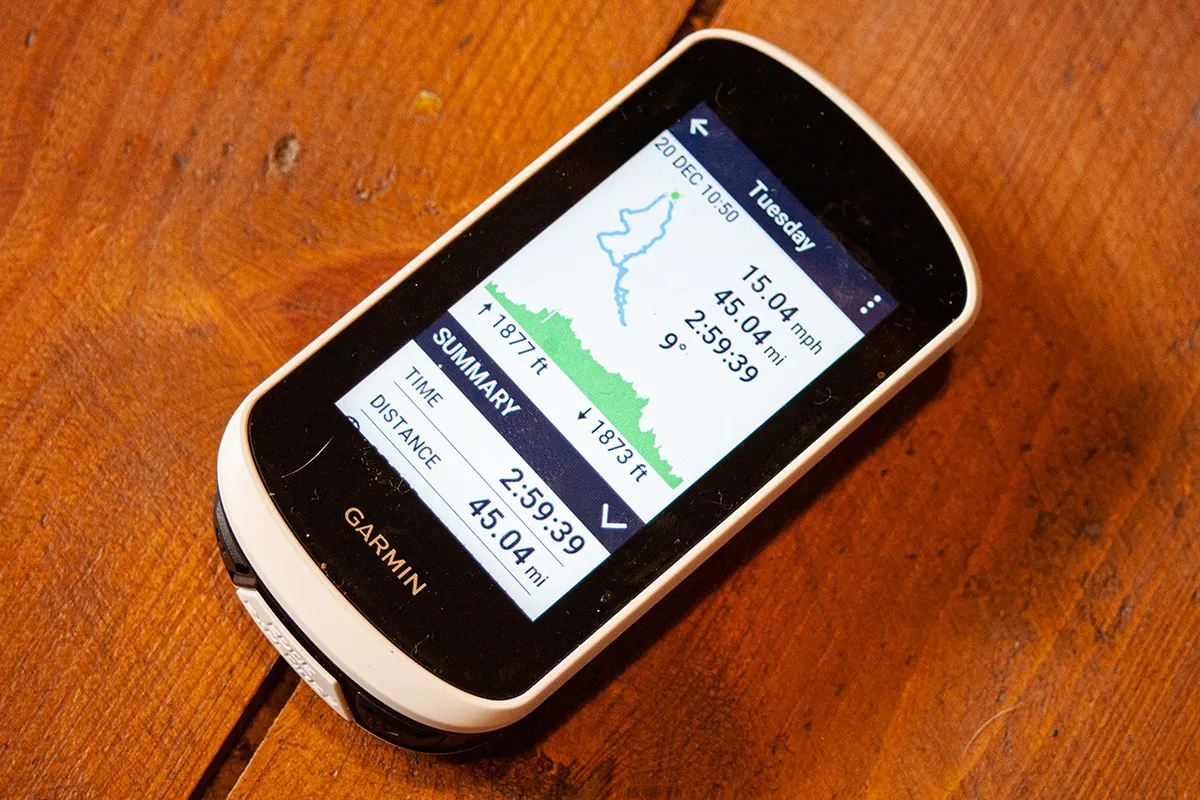
- £250 / $300 / €300 / AU$500 as tested by Warren Rossiter
- Pros: Easy to use; great navigation; well-priced
- Cons: Lacks data for some riders
The Edge Explore 2 majors on navigation functionality and strips out most of the training tools offered by Garmin's higher-priced computers. Its colour touchscreen is bright, with a size midway between the Edge 840 and the Edge 1040. Battery life is around 16 hours.
It's easy to search for a location and the Edge Explore 2 will use heatmaps to direct you via the most cycled routes. You can overlay maps with a high-traffic indicator based on data from a linked phone, which can also provide weather information. Rerouting is efficient if you go off course.
There's no WiFi connectivity, but rides can be uploaded to Garmin Connect and through to Strava via Bluetooth and your smartphone. You can use the Edge Explore 2 to control a smart trainer.
This is a good option if you want the cycling computer essentials and don't need the full suite of training data.
- Read more: Garmin Edge Explore 2 review
SQUIRREL_13079802
Hammerhead Karoo 3
SQUIRREL_TEXT_13182588

- £450 / $475 / €500 as tested by Warren Rossiter
- Pros: Great touchscreen sensitivity; SRAM AXS integration; clever routing; frequent updates
- Cons: Audio-alert needs resetting every startup; companion app lacking compared to rivals
Hammerhead's Karoo 3 is a great addition for SRAM AXS users and offers serious competition to Wahoo and Garmin.
The computer has double the amount of RAM at 4GB compared to the previous model, making for fast navigation through screens, with 64GB of storage enabling maps and routes to be uploaded.
While frequent updates mean Hammerhead is always making the device's performance better, we found these delayed our ride departure on a few occasions – although this is a trade-off we're willing to make.
For simply riding, recording and navigation, the Karoo impressed us, and our tester found the route information very similar to Garmin's system.
The hardware proved to be robust in all weather, and the claimed 15 hours or more of battery life is more than ample, especially after the recent battery-saving update.
- Read more: Hammerhead Karoo 3 review
Wahoo Elemnt Ace
SQUIRREL_TEXT_13161761

- £549.99 / $599.99 / €599.99 / AU$999.99 as tested by Ashley Quinlan
- Pros: Excellent screen; best-in-class mapping; wind sensor; easy to use
- Cons: Large and heavy; rerouting not fully reliable
Released in December 2024, the Wahoo Elemnt Ace does everything a bike computer does as well as its competitors, with our tester Ashley Quinlan declaring it “the best bike computer Wahoo has ever made”.
The computer is big and heavy, but this means it has a large 3.8in touchscreen screen, which makes for easy use when paired with the polished interface.
Mapping is clear and detailed, outperforming the Garmin Edge 1050 in Ashley’s view. The computer has audible direction cues, which is a welcome feature, but rerouting isn’t quite up to scratch.
The most intriguing new feature is the Elemnt Ace’s wind sensor, which provides insight into wind resistance during a ride. This could prove valuable for pro athletes, but it’s debatable how useful the information will be to everyday riders.
But even with the novel wind sensor, the Elemnt Ace is still cheaper than its closest rival, the Garmin 1050.
- Read more: Wahoo Elemnt Ace review
SQUIRREL_13076441
Wahoo Elemnt Roam V2
SQUIRREL_TEXT_13076440
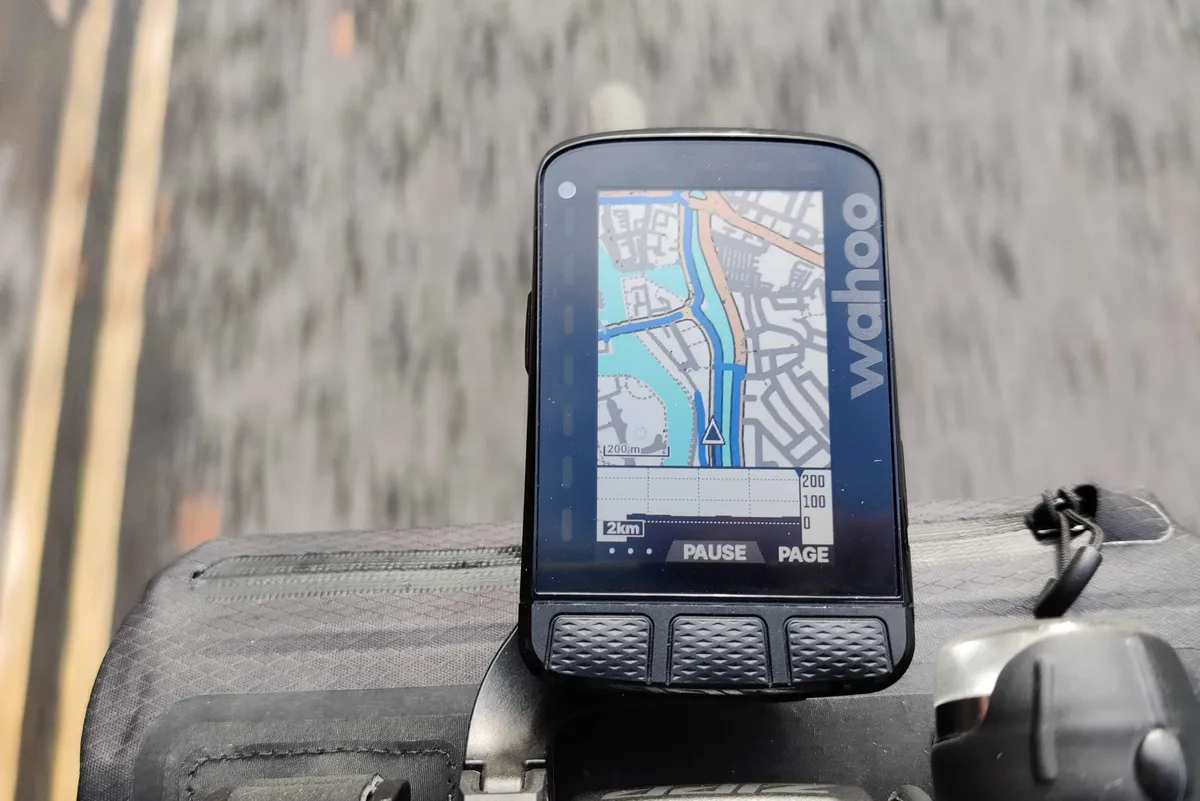
- £349.99 / $399.99 / €399.99 / AU$599.95 as tested by Paul Norman
- Pros: Configuration; clear screen; superb app; more memory for mapping
- Cons: No touchscreen
The Wahoo Elemnt Roam V2 takes many of the features of the Elemnt Bolt but puts them in a larger package with a bigger screen for improved mapping and navigation capabilities.
Where's the Bolt's display measures 55.9mm (2.2in) diagonally, the Roam ups this to 68.6mm (2.7in). Both offer a 64-colour screen – used sparingly to highlight key training or map details – and USB-C charging.
Like all of Wahoo's devices, there's no touchscreen, with the computer operated via a series of buttons and setup coming via the Elemnt app. Configuration is very easy, though, as we've come to expect from Wahoo computers.
Screen resolution isn't as sharp as other but, as an easy-to-use device with excellent mapping and data options, this is a smart all-round choice.
- Read more: Wahoo Elemnt Roam V2 review
SQUIRREL_13076440
Also consider...
This bike computer didn't quite score 4 stars, but it's still worth considering.
Coros Dura
SQUIRREL_TEXT_13194831

- £250 / $249 / €289 / AU$469 as tested by James Witts
- Pros: Impressive battery life; good functionality; competitive price
- Cons: Lag with rerouting; small screen
Coros' maiden bike computer offers great battery life and all the functionality you'd expect from a bike computer.
It does all this at a competitive price, beating many of its rivals.
We found the features worked well overall, although there was some lag when rerouting during navigation.
The small 2.7in screen isn't as easy to read or as clear as others due to the solar panel on the front, helping to achieve a battery life of 70-120 hours.
- Read more: Coros Dura review
SQUIRREL_13194831
Garmin Edge 550
SQUIRREL_TEXT_13327119

- £379.99 / $499.99 / €449.99 as tested by Paul Norman
- Pros: Impressive screen with great brightness; good connectivity; decent functionality
- Cons: Buttons are fiddly; pricey; shorter battery life compared to previous model
The Edge 550 offers good functionality with plenty of Garmin's training aids and navigation.
Its new screen offers a bright and detailed display of stats and maps, but the button-only interface is fiddly, especially at this price point.
It's slightly larger than the previous generation, but despite this, it has a shorter battery life.
- Read more: Garmin Edge 550 review
SQUIRREL_13327119
Garmin Edge MTB
SQUIRREL_TEXT_13327112

- £339.99 / $399.99 / €399.99 as tested by Tom Marvin
- Pros: Useful MTB functions; rich in data and features
- Cons: Small screen and buttons
The Edge MTB is built with DNA from the brand's Edge 5-series bike computers, sitting between the 540 and 550 when comparing specs.
It features a rugged design with a rubberised exterior and a Gorilla Glass screen that helps keep it functional after big trail hits.
There's also the addition of two new profiles, Enduro and DH, which separates the unit from the Edge 540.
Tom found the features to be good, but the diminutive size of the Edge MTB made it difficult to follow trails and navigate the data screen.
- Read more: Garmin Edge MTB review
SQUIRREL_13327112
Wahoo Elemnt Bolt 3
SQUIRREL_TEXT_13205841

- £299.99 / $329.99 / €329.99 as tested by Simon von Bromley
- Pros: Easy to use and set up; good accuracy; high-resolution screen; mount included
- Cons: Small screen; can't adjust settings on device; no dedicated web app for route building or in-depth post-ride analysis; quirky navigation
The Elemnt Bolt 3 boasts an upgraded colour screen, improved battery life, upgraded GPS capabilities, and greater internal storage and processing capacity over its predecessor.
Simon found the device simple to use and set up, with the high-resolution screen making it easy to see data while riding.
However, the device has a pared-back featureset compared to its competition, which might not satisfy data-hungry riders.
There's also no dedicated web app for route building or in-depth post-ride analysis and the navigation is a little quirky.
- Read more: Wahoo Elemnt Bolt 3 review
SQUIRREL_13205841
How we test bike computers

We test bike computers out on the roads and trails to make sure they work in multi-discipline environments.
We rack up plenty of miles when testing bike computers to make sure they identify all their strengths and weaknesses.

Our bike computer reviews are based on the following criteria:
- GPS accuracy – how accurate the GPS tracking remains on a ride.
- Screen visibility – how easy is the screen to view?
- Battery life – is there sufficient battery life for long rides?
- User interface – how easy are the menus and screens to navigate?
- Connectivity – how easily does the computer connect to other accessories?
- Additional features – does the computer have additional training or navigation features?
- Value for money – how does the computer compare to others in the market and are you getting a good deal?
Why you can trust BikeRadar

BikeRadar has been an authority on bikes and cycling tech since its inception in 2007, delivering the world’s best riding advice.
We have experts testing all types of bikes, parts, clothing and accessories, from road, mountain and gravel bikes to commuting, bikepacking and electric bikes.
Our reviews are always editorially independent – with no exceptions. Our reviewers comprehensively test all products in the real world, always reflecting on performance, value and the wider market when delivering their verdicts and review ratings.
We have more than 15,000 product reviews available at your fingertips, as well as expert buying, maintenance, training, skills, health and fitness advice.
Our annual Bike of the Year test is an industry benchmark and the BikeRadar team consists of some of the most experienced riders and testers in the business.
Buyer's guide to GPS cycling computers

In the past, cycling GPS devices were primarily for riders who wanted ‘pure’ navigation and trail guidance.
However, their usage has changed greatly and these devices now combine navigation, regular bike computer functions, connectivity to devices such as heart rate monitors and power meters, and lots else into one unit. The GPS is now just as much a dedicated training tool and ride tracker as it once was a navigation unit.
Using GPS technology to provide speed and distance information means it’s no longer necessary to use wheel-mounted magnets and sensors, so switching the computer between bikes has never been easier.
The cycling GPS market is dominated by similar brands to the automotive GPS industry. Garmin is the key player, but brands such as Wahoo, Polar, Bryton, Suunto, Lezyne and CatEye also offer GPS-equipped options.
Navigation or tracking?
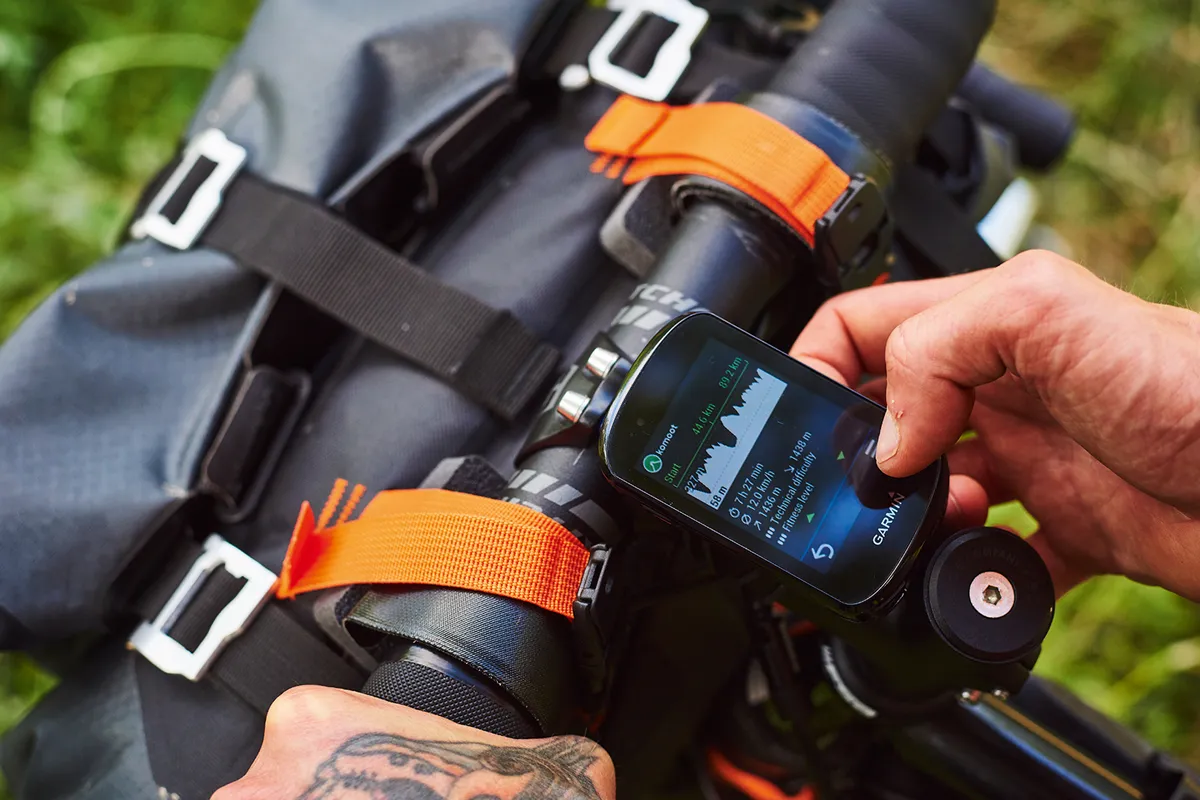
Perhaps the biggest question when choosing a GPS unit is deciding whether you want it to guide you on a ride via maps and navigation, or if you simply want it to track your ride and give you the data to look back at after your ride.
Generally speaking, navigational GPS units will cost more because they feature built-in maps, additional storage, navigation software and often a much larger screen to make use of all of this information.
Devices that offer mapping and directional guidance have come a long way. GPS accuracy has greatly improved, guiding you to within one or two metres of a desired location.
Far more tracking GPS units are sold than those that include navigational aids. For most riders, all they want is live ride data with the option to undertake detailed analysis after a ride.
However, they don’t offer nearly as detailed navigational information, and often only offer ‘breadcrumb’ navigation, which overlays a simple line over a blank screen for you to follow.
Connectivity
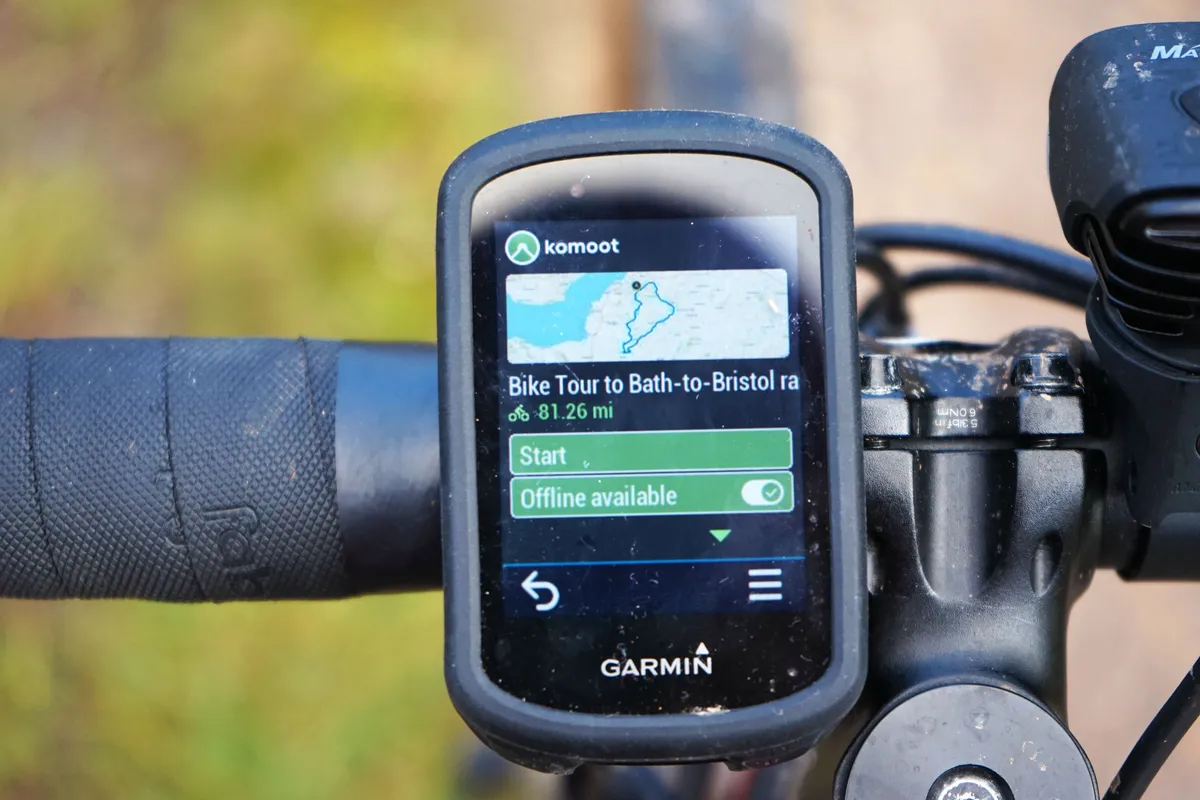
Mobile phone connectivity is desirable for a number of reasons. The likes of the Garmin and Wahoo offer Bluetooth and ANT+ connectivity and share information with compatible phones.
Many bike computers now include a giddy array of features when linked up to phones and other sensors, including incoming call and text alerts, tracking which allows your riding buddies or family at home to see your location in real-time, and even which gear you are in with electronic drivetrains.
Bluetooth and ANT+ cycling computers will link up to external sensors so you can pair them with devices such as heart rate monitors, cadence sensors, speed or power meters, and more. This unlocks a whole host of possibilities and can help you step your training up a notch.
Most high-end cycling computers will also neatly integrate with third-party cycling apps such as Strava, TrainingPeaks and Komoot.
Some will also link with WiFi for automatic uploads, avoiding any need to upload your ride via Bluetooth once you get home.
Cycling computer training functions
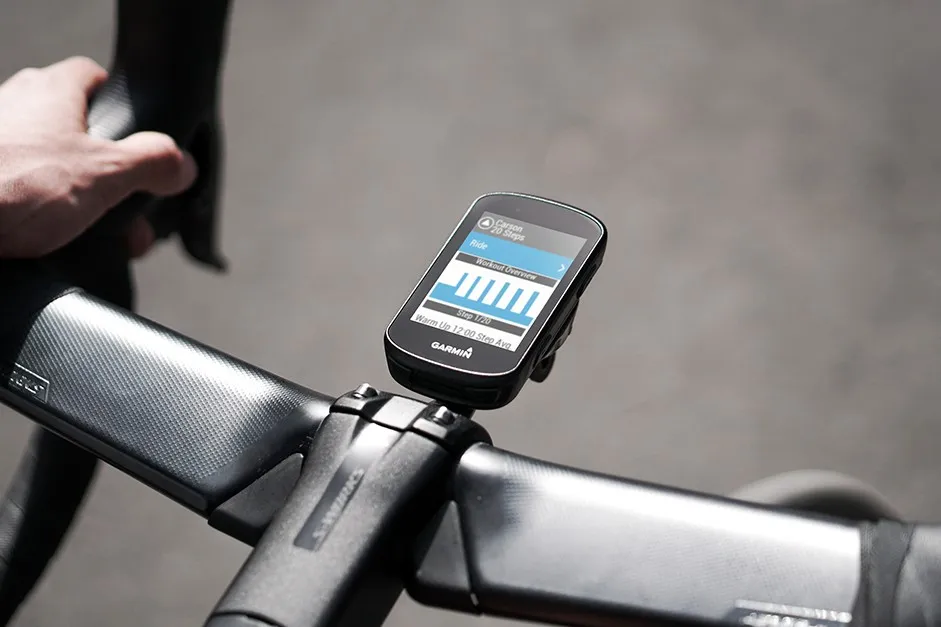
The main and most familiar way cycling computers can aid training is by linking up to a power meter or heart rate monitor, providing live data about your power output or heart rate during your ride.
There are benefits and disadvantages to both and many things to consider when deciding whether heart rate or power training is best for you.
Beyond simply providing live readouts for auxiliary devices, some cycling computer brands claim their computers can use this data to establish VO2 max and FTP (Functional Threshold Power), as well as provide insight into needed recovery time and training load.
Various bike computers now come with the option to load workouts and training plans directly onto the computer, making structured training an easier affair.
These plans are either available through brand-specific software (Garmin Connect for Garmin computers, for example) or in some instances through apps such as TrainerRoad and TrainingPeaks.
Some other features available on cycling computers are framed as training tools but are also useful and enjoyable for cyclists who are just out riding for the fun of it. These include alerts signalling how much longer a climb is and live Strava segments introducing some friendly competition against others or your own personal bests.
How does a cycling computer mount to the bike?
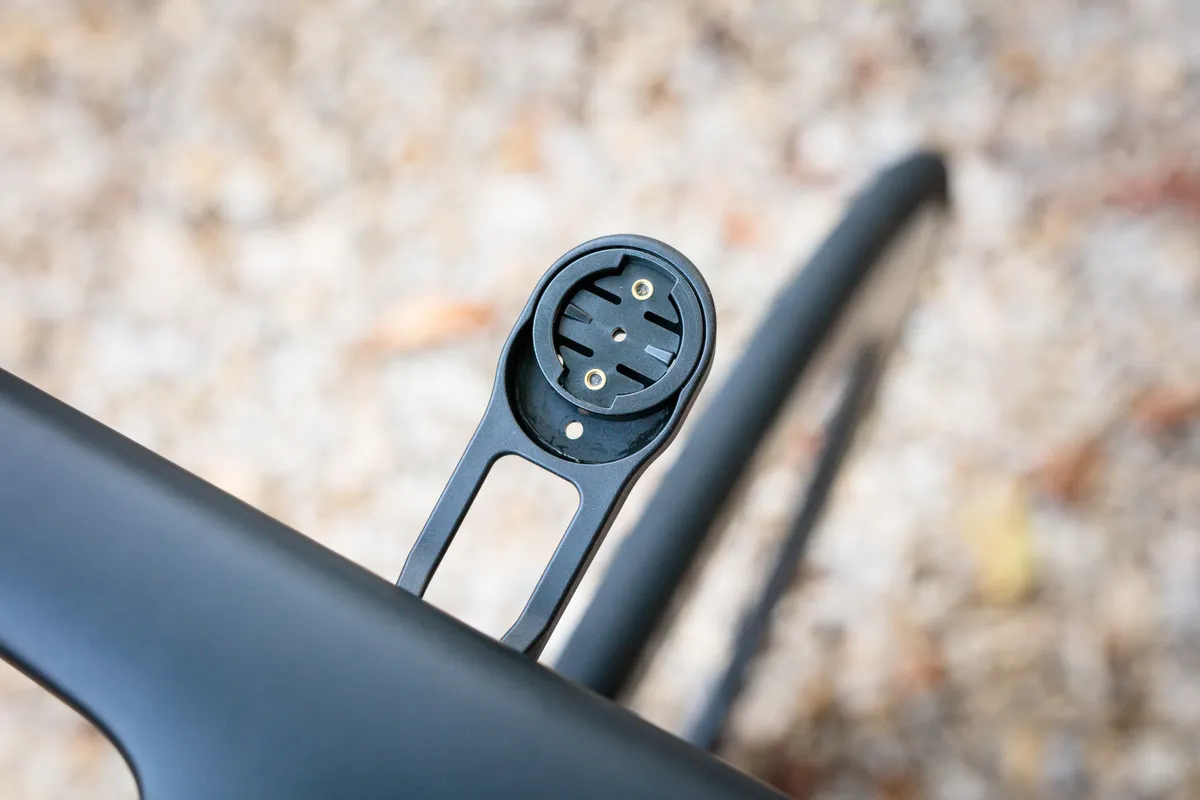
A key factor, but one that’s easily overlooked, is how the device attaches to the bike.
Most GPS units attach to either the handlebar or the stem of the bike. Generally speaking, the more common the brand, the more available mounting options there will be.
Garmin is the leader in this area, with scores of aftermarket mount options allowing you to decide exactly how and where the device sits on your handlebar or stem.
Gamin and Wahoo use mounts that rely on a quarter-turn twist-lock to hold the computer in place. The 90-degree turn makes it easy to fit your computer but also easy to remove when popping into a shop or cafe.
Out-front mounts are a popular choice because they put the computer in front of the bar, making it easier to look at while moving. These mounts also make the cycling computer flush with the bar, giving a cleaner look for the more aesthetically minded.
Screen size and display type

As a general rule, the larger the screen size, the easier the information will be to read. You’ll also be able to show more information on the screen without having to scroll to another page.
Of course, the downside is that larger units can be cumbersome, crowd your handlebar, and add extra heft – offending the more weight-conscious riders among us.
Screen size and resolution are a bigger concern if you want to use a cycling computer for routes and navigation. Here, being able to see waypoints and your desired route is crucial, so a screen size of 2.5in (6.35 cm) or larger is advisable.
Colour displays are becoming the norm, which makes for easy reading, especially with detailed maps.
Some cycling computers still use a greyscale screen, because these can be more readable in bright light.
Touchscreens are becoming a standard on newer devices too because they help simplify toggling menus and selecting desired data.
Mapping
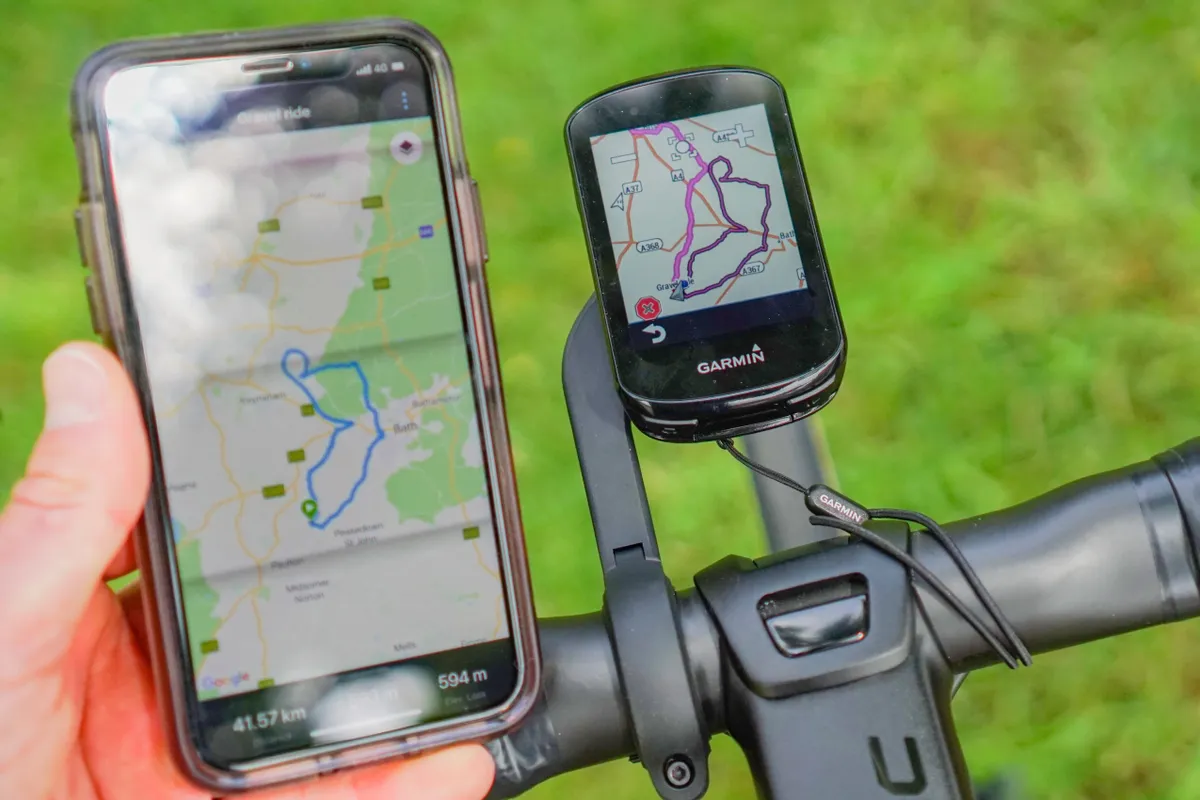
Early GPS cycling computers offered turn-by-turn navigation via a snail trail (also known as a breadcrumb trail).
Snail trails didn’t really give enough information because they were simply displayed as a single line over a blank screen with no landmarks or surrounding roads detailed, but you could get a fairly good sense of where you were going and were often notified if you drifted off course.
Now, many cycling computers are pre-loaded with in-depth maps that are similar to topographic maps detailing roads, landscape, features, waypoints and any amenities. This is particularly useful for bikepacking but is great even if you're cycling somewhere unfamiliar on holiday or close to home.
Maps often only cover certain territories. For instance, in the UK, the Garmin 1030 Plus comes pre-loaded with maps for Europe and North America, but you will have to download maps for other regions.
Plenty of computers allow you to sync courses from route-building apps such as Ride With GPS or Komoot, and in some cases let you drop a pin on the computer’s map and will automatically route you to that location.
Battery life
Are you looking to complete long rides, multi-day adventures, or simply want to go out and not worry about having to recharge your device between training sessions?
If any of these sound familiar, it is probably worth seeking out a cycling computer with decent battery life. Many computers will have a claimed battery life of between 15 and 20 hours, but this is of course dependent on use. Some Garmin computers now feature solar charging to increase battery life.
External battery expanders can bump up the battery life of your cycling computer if you’re out for a particularly long time.
Alternatives to GPS cycling computers
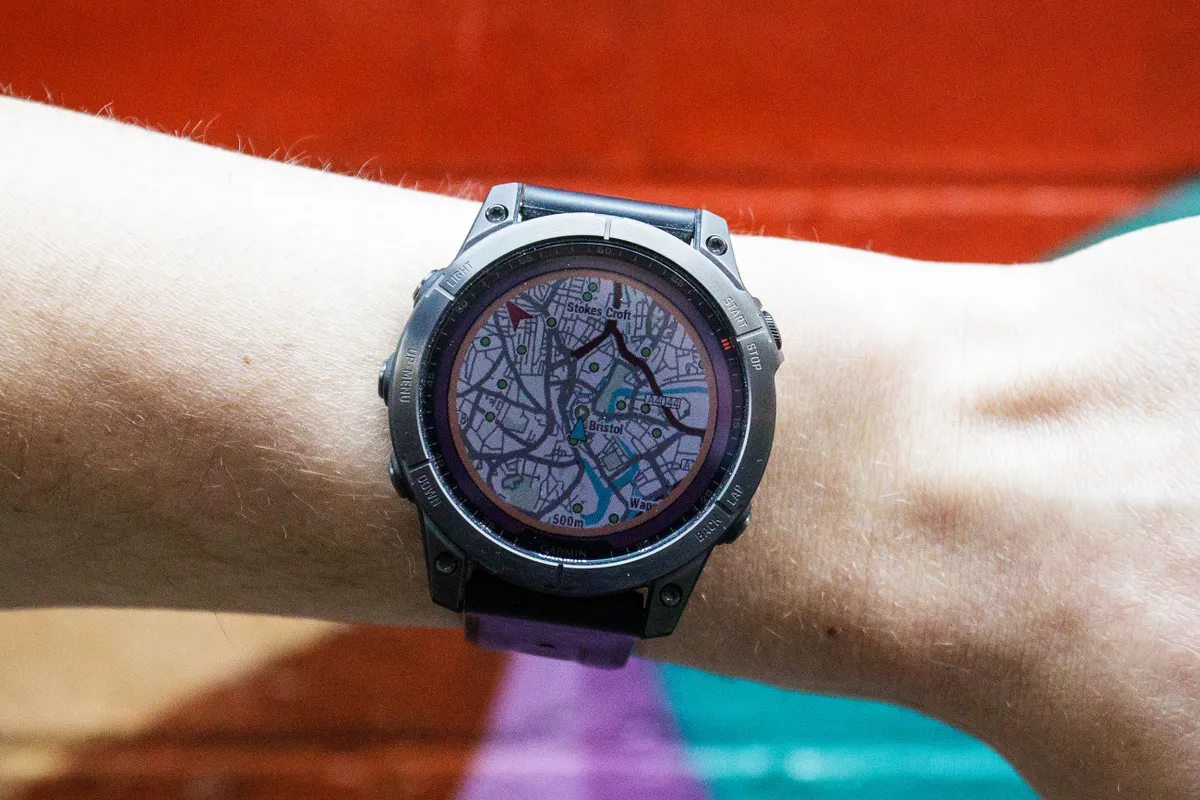
While this buyer’s guide is dedicated to GPS units, there are viable alternatives to GPS cycling computers in the form of GPS watches and smartphones.
GPS watches
Many of the best cycling watches will record your cycling data much like a GPS cycling computer. They have the added benefit of having built-in heart rate monitors but don’t have the same mapping and navigation capabilities as many cycling GPS computers.
If you do more than cycling – for instance running, swimming or indeed triathlon – GPS watches are a good choice for their versatility. But a major downside to these devices is the smaller screen size, so if you’re planning to keep the device on your bike, you’re better off with a cycling-specific unit.
Smartphones
Smartphones are ideal if you’re looking for a way of navigating around town and don’t want to invest in a dedicated cycling device, or simply dip a toe in the world of GPS navigation and ride recording.
Smartphones can be used with apps such as Strava and might prove just as useful as a cycling computer for casual riding.
There are many smartphone handlebar mounts and cases available to keep your phone safe and secure while riding, but they are likely to be less waterproof than cycling-specific computers. That said, keeping the phone in your pocket or pack remains an option for data collection.